
A REST API is a way for two pieces of software to exchange data over HTTP using a shared set of conventions: each kind of data is a "resource" with its own URL (for example /orders), the calling application uses HTTP methods such as GET, POST, PUT, PATCH and DELETE to read, create, update and delete it, and the server answers with data (usually JSON) plus a status code such as 200, 201 or 404. When you open a food delivery app and see a list of restaurants, the app is calling an API like this on a server. For backend developers, designing and writing REST APIs is everyday work, so this is essential knowledge before moving on to databases or security.
By the end of this lesson, you will be able to:
- Read an HTTP request and response: method, URL, headers, body and status code.
- Choose the right method (GET, POST, PUT, PATCH, DELETE) and the right status code for each situation.
- Design a RESTful set of endpoints for a small problem: naming, filtering, pagination, versioning and a consistent error format.
- Write complete request and response examples, describe the API in OpenAPI (Swagger) and test it with curl or Postman.
- Recognise 6 common beginner mistakes in API design and fix them.
Learning backend along a roadmap? HTTP, REST APIs and Swagger documentation are step 3, after programming basics, Linux and Git, and choosing your main language and framework. See the 9-step backend developer roadmap to learn in the right order.
What is a REST API? Word by word
An API (Application Programming Interface) is the "door" a piece of software opens so other software can call it. Mobile apps, websites and partner systems are all "clients" calling the API of a "server" (the backend). Users never see the API, but every action such as logging in, viewing a cart or placing an order goes through it.
REST is an architectural style, not a library
REST (Representational State Transfer) is an architectural style described by Roy Fielding in his doctoral dissertation in 2000. It is not software you install but a set of principles. An API that follows them is called RESTful. In practice "REST API" and "RESTful API" are used interchangeably.
The main REST principles
- Client and server: user interface and data are separate; a mobile app and a website can share one API.
- Addressable resources: each thing (product, order, user) has its own URL, for example
/products/7. - Actions through HTTP methods: the action lives in the method (GET, POST and so on), not in the URL.
- Stateless: each request carries all the information it needs (including the auth token), so the server does not have to remember earlier requests. That makes it easy to run many servers in parallel.
- Representations: the server returns a "representation" of the resource, most commonly JSON.
- Cacheable: responses say whether they may be cached, which reduces load.
Where does an API run?
Your API code runs on servers in a data centre or in the cloud (Figure 1). Each request from a user's phone travels across the internet and through network equipment to the server, is processed, reads or writes the database, and the response travels back. Because it crosses a network, each API call takes tens to hundreds of milliseconds, so a compact API that needs few calls matters.

Photo: The National Archives (UK) / Wikimedia Commons, CC BY 3.0

What is inside an HTTP request and response?
REST uses HTTP as its common language. To design good APIs you need to be able to read a raw request and response, not just look at them through a tool.
Structure of a request
A request has 4 parts: a first line with the method, path and HTTP version; headers (extra information); a blank line; and a body (the data being sent, which may be empty). For example, fetching product 7:
GET /api/v1/products/7 HTTP/1.1
Host: api.bakery.example
Accept: application/json
Authorization: Bearer eyJhbGciOi...
Structure of a response
A response also has a first line (HTTP version, status code, reason), headers and a body:
HTTP/1.1 200 OK
Content-Type: application/json
Cache-Control: max-age=60

{
  "id": 7,
  "name": "Garlic butter bread",
  "price": 25000,
  "inStock": true
}
Headers you will meet every day
Content-Type: the type of data in the body, for exampleapplication/json.Accept: the type of data the client wants back.Authorization: credentials, usuallyBearerfollowed by a token.Location: the address of a newly created resource, sent with a 201.Cache-Control,ETag: control caching of the response.
The GET, POST, PUT, PATCH and DELETE methods
The method tells the server what the client wants to do with the resource. Two ideas to understand: safe means the method does not change data; idempotent means calling it once or several times in exactly the same way leaves the server in the same final state. Idempotency matters a lot when the network is flaky and clients retry requests automatically.
| Method | Used to | Example | Safe | Idempotent |
|---|---|---|---|---|
| GET | Read data | GET /orders/1058 | Yes | Yes |
| POST | Create, or actions that fit no other method | POST /orders | No | No |
| PUT | Replace the whole resource | PUT /products/7 | No | Yes |
| PATCH | Partial update | PATCH /orders/1058 | No | Not required |
| DELETE | Delete | DELETE /cart-items/31 | No | Yes |
How is PUT different from PATCH?
PUT sends the complete resource; missing fields may be treated as cleared. PATCH sends only the fields to change, for example just the order status: {"status": "confirmed"}. Beginners often use PUT but send only one field, wiping the others.
Why is POST not idempotent?
Calling POST /orders twice creates two orders. If a user taps "Place order" on a laggy connection and the app retries, the customer can end up with a duplicate order. A common fix is for the client to send an idempotency key in a header; the server remembers the key and does not create a second order. You will use this technique a lot when handling payments later.
HTTP status codes worth memorising
The status code is the 3-digit number on the first line of the response, telling the client the result without reading the body. The first digit gives the class: 2xx success, 3xx redirection, 4xx client error, 5xx server error.
| Code | Name | When to use it |
|---|---|---|
| 200 | OK | Successful GET, PATCH or PUT with a body |
| 201 | Created | POST created a new resource, with a Location header |
| 204 | No Content | Success with no body, for example DELETE |
| 304 | Not Modified | Data unchanged since the copy the client cached |
| 400 | Bad Request | Malformed request, missing fields, broken JSON |
| 401 | Unauthorized | Not logged in, or the token is wrong or expired |
| 403 | Forbidden | Logged in but not allowed |
| 404 | Not Found | The resource does not exist |
| 409 | Conflict | State conflict, for example cancelling a delivered order |
| 422 | Unprocessable Content | Well formed but invalid data (many APIs use 400 for this) |
| 429 | Too Many Requests | Rate limited |
| 500 | Internal Server Error | Unexpected error in server code |
| 503 | Service Unavailable | Server overloaded or under maintenance |
401 or 403?
An easy way to remember: 401 means "I do not know who you are" (not authenticated); 403 means "I know who you are, but you may not do this" (not authorised). A logged-in sales clerk calling a delete-product API reserved for managers gets a 403.
Do not return 200 for errors
Some older systems always return 200 and put "success": false in the body. That misleads clients, monitoring tools and caches. Client errors return 4xx, server errors return 5xx, with a body describing the error in a consistent format.
Designing a RESTful API: practical rules
There is no single mandatory standard, but experienced backend teams tend to agree on the rules below. Pick a set of rules and apply them consistently across the project (Figure 2).

Photo: Lbronn / Wikimedia Commons, CC BY-SA 4.0

Naming endpoints
- Use plural nouns for collections:
/products,/orders; add an id for one item:/orders/1058. - No verbs in URLs: write
POST /orders, not/createOrder. - Nest parent and child at most 1–2 levels deep:
/orders/1058/items. - Lower case, words joined with hyphens:
/cart-items. - Special actions that do not fit CRUD can use a sub-resource:
POST /orders/1058/cancel.
Filtering, sorting and pagination
Lists can be very long, so always paginate. Use the query string: GET /orders?status=pending&sort=-createdAt&page=2&limit=20. Return page information (current page, items per page, total) so the client can draw page buttons. Cap limit (for example at 100) so nobody can pull a whole table in one call.
Versioning and error format
Put the version in the path, such as /api/v1/. When you need a change to the data structure that would break old apps, open /api/v2/ and keep v1 running for a while. Return every error in the same shape, for example:
HTTP/1.1 422 Unprocessable Content
Content-Type: application/json

{
  "error": {
    "code": "VALIDATION_ERROR",
    "message": "Invalid data",
    "details": [
      { "field": "items[0].quantity", "message": "Quantity must be between 1 and 50" }
    ]
  }
}
Validating input
Never trust data sent by the client. Check types, lengths, ranges and required fields in the controller layer (using your framework's validation library), and calculate prices on the server instead of accepting a total from the client. A client sending "total": 1000 for a 210,000 VND order is the classic way to cheat.
Worked example: an ordering API for a small bakery
A bakery wants an app where customers browse products and order cakes, and staff change order status. You design version 1 of the API as below (Figure 3 shows the path a request takes across the network to the server).
| Method | Endpoint | Purpose | Success code |
|---|---|---|---|
| GET | /api/v1/products | List products | 200 |
| GET | /api/v1/products/7 | One product's details | 200 (404 if missing) |
| POST | /api/v1/orders | Customer creates an order | 201 |
| GET | /api/v1/orders?status=pending&page=1&limit=20 | Staff view pending orders | 200 |
| GET | /api/v1/orders/1058 | One order's details | 200 |
| PATCH | /api/v1/orders/1058 | Change order status | 200 |
| POST | /api/v1/orders/1058/cancel | Cancel the order | 200 (409 if already delivered) |
Creating an order: request and response
A customer orders 3 garlic butter breads (25,000 VND each) and 1 corn cream cake, 16 cm (120,000 VND), with a 15,000 VND delivery fee. The client sends only product ids and quantities:
POST /api/v1/orders HTTP/1.1
Host: api.bakery.example
Content-Type: application/json
Authorization: Bearer eyJhbGciOi...
Idempotency-Key: 6f1c2a9e-order-20261124-01

{
  "customerId": 42,
  "items": [
    { "productId": 7, "quantity": 3 },
    { "productId": 12, "quantity": 1 }
  ],
  "deliveryAddress": "12 Le Loi, Ben Thanh Ward, Ho Chi Minh City"
}
The server looks up prices in the database, calculates the amounts itself and returns:
HTTP/1.1 201 Created
Location: /api/v1/orders/1058
Content-Type: application/json

{
  "id": 1058,
  "status": "pending",
  "items": [
    { "productId": 7, "name": "Garlic butter bread", "unitPrice": 25000, "quantity": 3, "lineTotal": 75000 },
    { "productId": 12, "name": "Corn cream cake 16 cm", "unitPrice": 120000, "quantity": 1, "lineTotal": 120000 }
  ],
  "subtotal": 195000,
  "shippingFee": 15000,
  "total": 210000,
  "createdAt": "2026-11-24T09:15:00+07:00"
}
Check: 3 × 25,000 = 75,000; 1 × 120,000 = 120,000; subtotal 75,000 + 120,000 = 195,000; plus the 15,000 delivery fee gives a total of 210,000 VND (about US$8.40). The 201 code and the Location header tell the client where the new order lives.
Paginating the order list
At the end of the day there are 47 pending orders and staff view 20 per page. The number of pages is 47 ÷ 20 = 2.35, rounded up to 3: page 1 holds orders 1–20, page 2 holds 21–40, page 3 holds 41–47, so 20 + 20 + 7 = 47 orders. Calling page 3:
GET /api/v1/orders?status=pending&page=3&limit=20

HTTP/1.1 200 OK
{
  "data": [ "...7 orders..." ],
  "meta": { "page": 3, "limit": 20, "total": 47, "totalPages": 3 }
}
Changing status, and the error cases
Staff confirm the order with PATCH /api/v1/orders/1058 and the body {"status": "confirmed"}, receiving 200 with the updated order. Error cases to handle: order 9999 does not exist, so 404; a customer sends quantity 0, so 422 in the error format above; staff not logged in, so 401; a customer tries to change order status (a staff task), so 403; cancelling a delivered order, so 409.
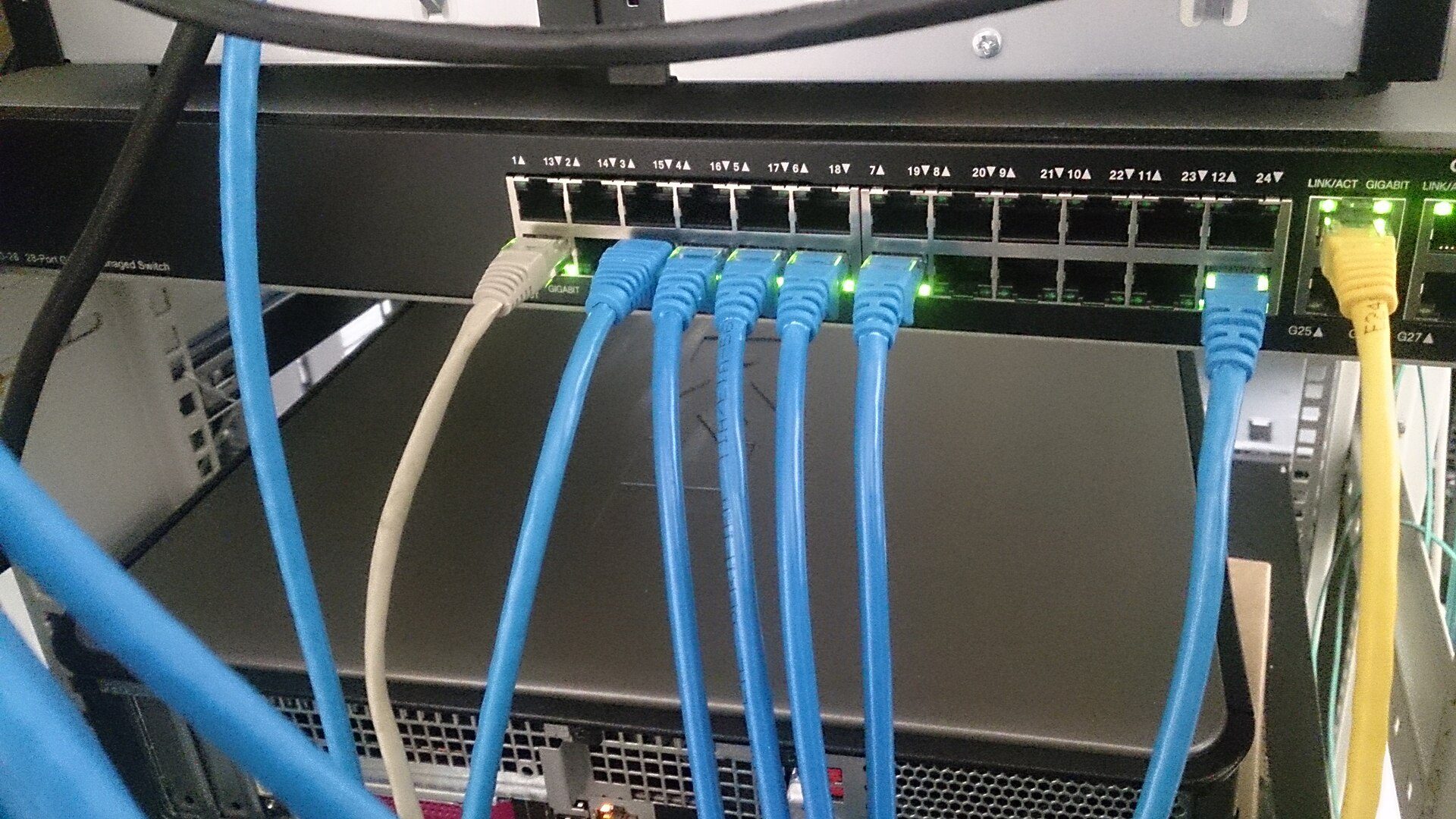
Photo: ProjectManhattan / Wikimedia Commons, CC BY-SA 3.0

Writing Swagger documentation and testing the API
Without documentation, the frontend and mobile teams have to ask you about every field. OpenAPI is the standard format for describing REST APIs in YAML or JSON; Swagger UI turns that file into a documentation page with "try it out" buttons. Most popular backend frameworks (NestJS, Spring Boot, FastAPI) have libraries that generate OpenAPI documents from code.
Describing an endpoint in OpenAPI
openapi: 3.0.3
info:
  title: Bakery API
  version: 1.0.0
paths:
  /api/v1/orders/{id}:
    get:
      summary: Get one order's details
      parameters:
        - name: id
          in: path
          required: true
          schema:
            type: integer
      responses:
        "200":
          description: Success, returns the order
        "404":
          description: Order not found
Testing with curl and Postman
curl ships with Linux, macOS and recent Windows; the -i flag prints the status line and headers so you can check the code returned:
curl -i -X POST https://api.bakery.example/api/v1/orders \
  -H "Content-Type: application/json" \
  -H "Authorization: Bearer $TOKEN" \
  -d '{"customerId":42,"items":[{"productId":7,"quantity":3}]}'
Postman and similar tools let you save requests as collections, set environment variables (dev, staging) and write automatic checks such as "status must be 201". For each endpoint, test at least one success case and the 400/422, 401 and 404 error cases.
Security note: Never put tokens, passwords or secret keys in code, documentation files or screenshots shared in group chats; use environment variables. A live API must use HTTPS. Do not log passwords, tokens or card numbers, and never return stack traces or SQL statements in a 500 error response. An API handling personal information (names, phone numbers, addresses) must follow the data protection rules currently in force in Vietnam and your company's policies; when unsure, ask the person responsible before exposing data. Authentication, authorisation and rate limiting are covered in depth in the API security step.
Common API design mistakes and how to fix them
Verbs in URLs
Signs: /getProducts, /deleteOrder?id=5. Result: the API is hard to predict and cannot use methods and caching properly. Fix: GET /products, DELETE /orders/5.
Always returning 200, even for errors
Signs: 200 OK with "error": "not found". Result: clients and monitoring cannot detect errors. Fix: use proper 4xx and 5xx codes with a consistent error format.
No pagination
Signs: GET /orders returns tens of thousands of orders. Result: slow API, high memory use, frozen apps. Fix: paginate by default and cap limit.
Trusting client data
Signs: accepting total or price from the client. Result: prices get tampered with. Fix: accept only product ids and quantities and calculate prices on the server.
Mixing up 401 and 403, or PUT and PATCH
Result: the app shows the wrong message (asking users to log in again when they actually lack permission), or a PUT with missing fields wipes data. Fix: follow the status code table and the PUT versus PATCH section above.
Leaking internal error details
Signs: a 500 response containing a stack trace, table names or SQL. Result: attackers learn how your system is built. Fix: return a generic message with a reference id and log the details on the server.
Frequently asked questions
What is a REST API, in short?
A way for software to exchange data over HTTP, where each kind of data is a resource with a URL, actions use the GET, POST, PUT, PATCH and DELETE methods, results are reported with HTTP status codes, and data is usually JSON.
How do GET, POST, PUT and DELETE differ?
GET reads data without changing anything; POST creates; PUT replaces a whole resource; PATCH updates part of it; DELETE removes it. GET, PUT and DELETE are idempotent; POST is not.
Which HTTP status codes should I know?
At minimum: 200, 201, 204, 400, 401, 403, 404, 409, 422, 429, 500 and 503. Once you know the 2xx, 3xx, 4xx and 5xx classes you can guess the meaning of the rest.
Where should RESTful API design start?
List the resources (nouns) in the problem, choose the operations each one needs, and build a table of methods and endpoints like the bakery example. Write example requests and responses for every row before writing code.
Are there public example APIs to practise with?
There are many free public APIs for learners that return fake data about posts, users and products; search for "fake REST API for testing". Practise reading the docs and calling them with curl, then rebuild a similar API in the framework you chose.
REST or GraphQL?
Most company systems still use REST, and REST is the foundation to learn first. GraphQL helps when clients need flexible data from many sources; learn it once you are solid on REST.
Practice tasks and self-assessment
These tasks work best in a group of 2–3: one person designs, another plays the frontend developer who reads the docs and calls the API (Figure 4).
- Design an API for a small clinic: doctors, appointment slots, patients booking and cancelling appointments. Write a table of methods, endpoints, success codes and error codes.
- Write complete JSON request and response examples for booking an appointment and for listing appointments with pagination.
- Write an OpenAPI file for at least 3 endpoints and open it in Swagger UI.
- Implement those 3 endpoints in the framework you chose in the previous step and test success and error cases with curl or Postman.
Self-assessment criteria
- Pass: URLs contain only nouns, and methods and status codes match the tables in this lesson.
- Pass: lists are paginated with correct page counts, and errors share one format.
- Pass: the person playing frontend can call the API just by reading the Swagger docs, without asking questions.
- Not yet: a
/createAppointmentendpoint, 200 returned for errors, totals accepted from the client, or a token left in the code.

Photo: Vmuru / Wikimedia Commons, CC BY-SA 4.0

If you want to understand the browser side that calls APIs, read where to start learning web development. Once you are solid on HTTP and REST, move on to the next step of the roadmap: Databases: PostgreSQL, MySQL, MongoDB, where you design tables for products and orders and learn why missing indexes make an API slow.
Keep learning backend development: after REST APIs come databases, authentication and security, caching, queues, Docker and a complete ordering API project. See the 9-step backend developer roadmap.