Working out CCTV hard drive capacity takes one formula: storage per day (GB) = total bitrate of all cameras (Mbps) × 10.8, and days of retention = usable drive capacity (GB) ÷ storage per day. For example, four 2MP cameras using H.265 at 2 Mbps and recording continuously use 4 × 2 × 10.8 = 86.4 GB per day, so a 2TB drive (about 1,800 GB usable) holds about 20 days. This lesson explains every number, gives lookup tables by resolution and codec, and walks through a worked example for an 8-camera shop that needs 30 days of footage.
By the end of this lesson, you will be able to:
- Convert bitrate (Mbps) into daily recording size (GB) for one camera and a whole system, without mixing up bits and bytes.
- Estimate bitrate from resolution, H.264/H.265 compression, frame rate and the kind of scene.
- Calculate how many days a drive will hold, or pick the drive size needed for the number of days a customer asks for.
- Adjust recorder settings to extend retention without losing the detail that matters.
- Check real retention after 2–3 days of running and explain to the customer why the figure varies.
Learning CCTV installation properly? Drive sizing belongs to the step "Configuring the NVR and remote viewing" in the roadmap. See the 8-step CCTV installer roadmap to learn in the right order, from safety and PoE cabling to all-in quotes.
Why size the hard drive before you quote?
The question customers ask most after installation is "how many days does it keep?". If you fit a 1TB drive for 8 cameras and the customer later needs to check something from 10 days ago, that footage was overwritten long ago. That is the quoter's mistake, not the equipment's.
The drive sets retention, not the recorder
The recorder (an NVR for IP cameras, a DVR for analogue cameras) only receives the video streams and writes them to the hard drive inside. When the drive is full, the recorder deletes the oldest footage to make room (overwrite mode). So "how many days" really means "how many days of video fit on the drive before overwriting starts".
How many days do customers usually need?
- Homes: 7–15 days is usually enough, because incidents at home tend to be noticed within days.
- Shops and cafes: 15–30 days, to reconcile cash and stock at month end.
- Warehouses, offices, sites: 30 days or more. Some sectors, leases or insurers may set their own retention period; ask the customer, or ask them to check the rules that apply to them, rather than stating one yourself.
Write the agreed number into the quote. It is the basis for your drive choice and for handover.
The formula for daily recording size
Bitrate is the amount of data a camera sends each second, in Mbps (megabits per second). Drives are sold in GB and TB (bytes). One byte is 8 bits, so you must divide by 8 when converting.
From bitrate to GB per day
A day has 24 × 3,600 = 86,400 seconds. A camera at 1 Mbps recording all day produces 86,400 megabits. Divide by 8 to get 10,800 MB, which is 10.8 GB. So:
- GB per day for one camera = bitrate (Mbps) × 10.8
- GB per day for the system = total bitrate of all cameras (Mbps) × 10.8
A camera set to 4 Mbps uses 4 × 10.8 = 43.2 GB per day. Remember the factor 10.8 and you can work it out in your head at the customer's house.
Usable drive capacity
A drive labelled "4TB" holds 4,000 GB in decimal units. Recorders and computers usually display binary units, so you see about 3.6 TB, and the system also reserves space for indexing and overwriting. For a safe quote, take 90% of the labelled capacity as usable: 3,600 GB for a 4TB drive, 1,800 GB for a 2TB drive.
Days of retention
Days of retention = usable capacity (GB) ÷ system GB per day. Round down, because the customer needs a minimum, not a maximum. In reverse, when you know the days required: labelled drive size = GB per day × days ÷ 0.9, then pick the next size up that is actually on sale.

Photo: Tookapic / Wikimedia Commons, CC0
What does bitrate depend on?
The same 2MP camera can differ by 3–4 times in bitrate depending on its settings. To size correctly you need to understand the five factors below.
Resolution and H.264 vs H.265
Higher resolution means more pixels to record. The codec decides how small each frame is compressed. H.265 (also called HEVC) compresses better than H.264, typically cutting storage by about 40–50% at similar picture quality. Many makers add a "smart" mode (often labelled H.265+ or smart codec) that saves more when the scene is still, but the saving depends on the scene and is not fixed.
Frames per second (fps)
Cameras usually default to 20–25 fps. Cameras watching a store room or quiet corridor can drop to 12–15 fps; bitrate falls, though not in exact proportion, because key frames (I-frames) still carry much of the data. Keep 20–25 fps for the till and the entrance so you do not miss hand movements.
CBR, VBR and the scene
- CBR (constant bitrate): the camera always sends the set rate. Easy to size, but wasteful when the scene is still.
- VBR (variable bitrate): still scenes use little, crowds, moving trees and rain use a lot. When sizing with VBR, use the configured maximum for a safe figure.
- At night: infrared switches on and the image gets grainy, which is harder to compress, so night bitrate is often higher than daytime. That is why real retention is often below the paper figure.
Continuous or motion recording
Motion recording saves only when something moves inside the drawn zone, and can multiply retention for cameras with little traffic. The risk is missing an incident if the zone or sensitivity is wrong. The safe habit: key cameras (gate, till, safe) record continuously; secondary cameras (back yard, rarely used store room) record on motion or on a schedule.
Photo: Pierre-alain dorange / Wikimedia Commons, CC BY-SA 3.0
Lookup table: bitrate and storage by resolution
The table uses main-stream bitrates commonly seen at medium to high quality, recording continuously at 25 fps. Treat them as reference figures for quick sizing; always check the actual bitrate on the configuration page of the cameras you install.
| Resolution | H.264 (Mbps) | GB/day H.264 | H.265 (Mbps) | GB/day H.265 |
|---|---|---|---|---|
| 2MP (1080p) | 4 | 43.2 | 2 | 21.6 |
| 4MP (2K) | 8 | 86.4 | 4 | 43.2 |
| 8MP (4K) | 16 | 172.8 | 8 | 86.4 |
Retention for a 4-camera 2MP H.265 system
Four cameras at 2 Mbps make 8 Mbps, or 8 × 10.8 = 86.4 GB per day. Retention by drive size, using 90% as usable:
| Drive (label) | Usable (GB) | Days (continuous recording) |
|---|---|---|
| 1TB | 900 | 900 ÷ 86.4 ≈ 10 days |
| 2TB | 1,800 | 1,800 ÷ 86.4 ≈ 20 days |
| 4TB | 3,600 | 3,600 ÷ 86.4 ≈ 41 days |
If the same system stays on H.264 (4 Mbps per camera), daily storage doubles and retention halves: a 2TB drive gives only about 10 days. That is why the first thing to check when configuring a recorder is whether the cameras are running H.265.
Does the sub-stream count?
By default the recorder stores only the main stream; the sub-stream is for multi-view on phones. Some recorders can also record the sub-stream (dual recording) for fast playback, and then you add its bitrate. Audio, if enabled, is a few dozen kbps and barely matters.
Choosing a hard drive for the recorder
Calculating capacity is only half the job. The other half is the right type of drive, the right number of bays and a correct recorder setup.
Surveillance-grade drives
Use the surveillance lines that drive makers design for CCTV, because they are built for 24/7 writing and many simultaneous video streams. Desktop drives will run, but they are not designed for round-the-clock writing. Check the workload rating (TB per year) and warranty on the maker's website. Do not reuse old drives pulled from other computers on a job you hand over.
Bays and maximum capacity per bay
Home recorders usually have one bay, 8–16 channel models one or two, larger models four to eight. Every recorder has a maximum capacity per bay in its specifications; a bigger drive may not be fully recognised. Read the spec sheet before quoting a large drive. The back of the recorder in Figure 3 has 8 PoE ports for 8 cameras; inside is a SATA drive bay.
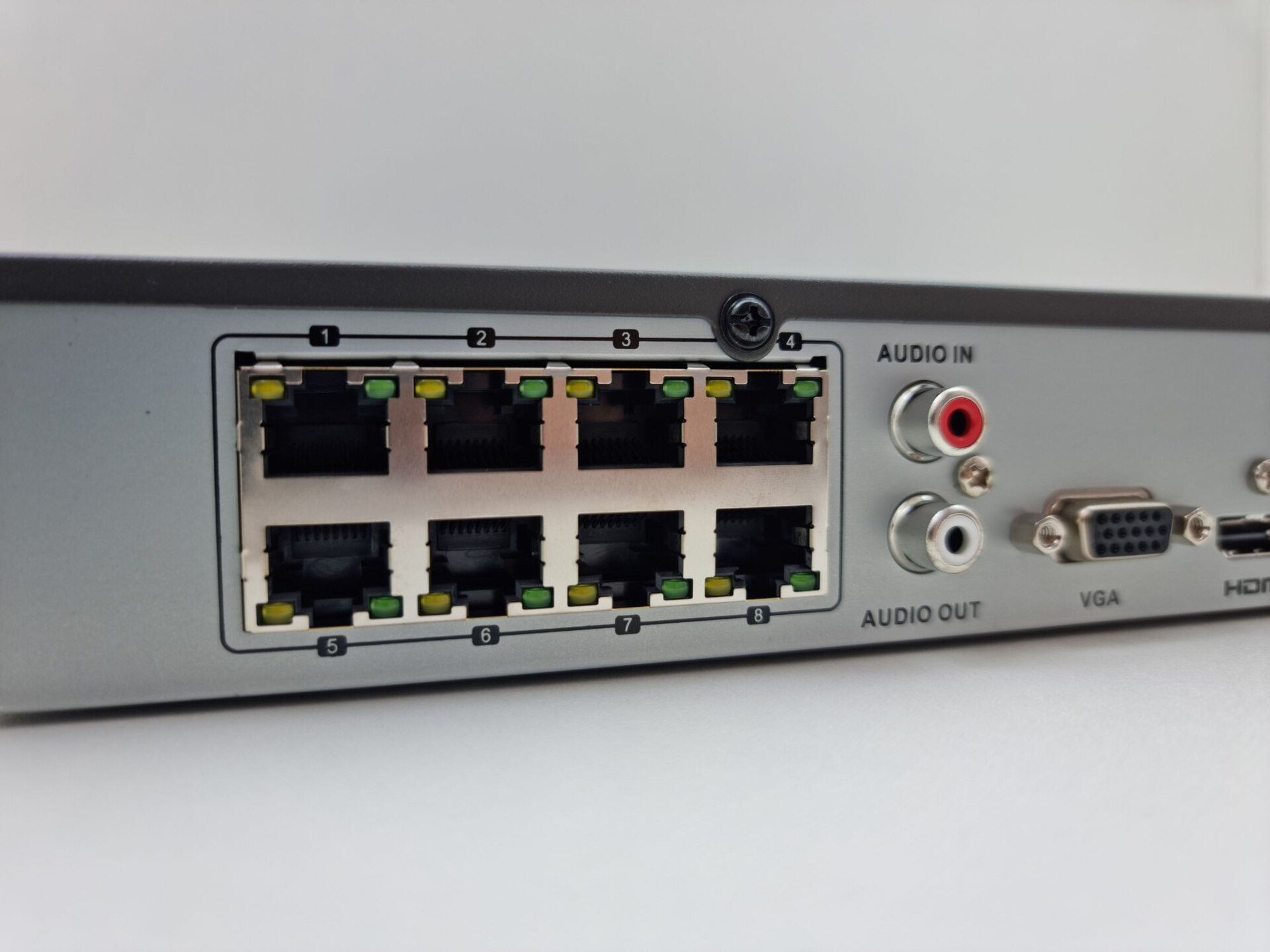
Photo: Smart Home Perfected / Wikimedia Commons, CC BY 2.0
Fitting and formatting the drive
- Shut down the recorder, unplug it and wait a few seconds before opening the cover.
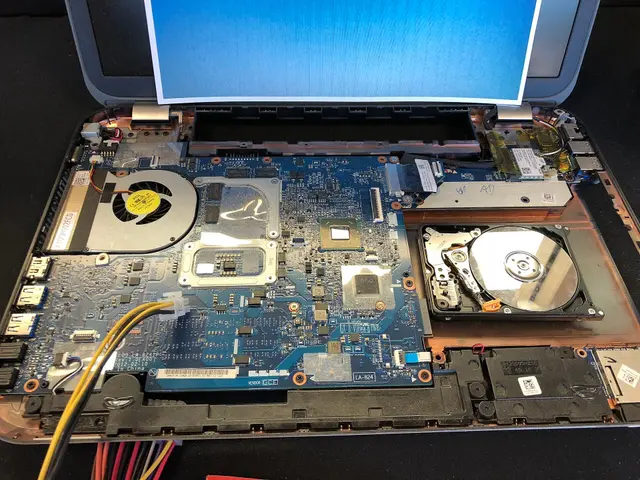
- Screw the drive into its bracket, connect the SATA data and power cables the right way round (Figure 4) and do not kink the cables.
- Close the cover, power on and open drive management: status should read "normal" and the capacity should match the drive.
- Format the drive in the recorder, not on a computer.
- Enable overwrite when full; check each camera's recording schedule (continuous, motion or timed).
- Check the system time and time zone, because playback by the wrong clock makes footage impossible to find.
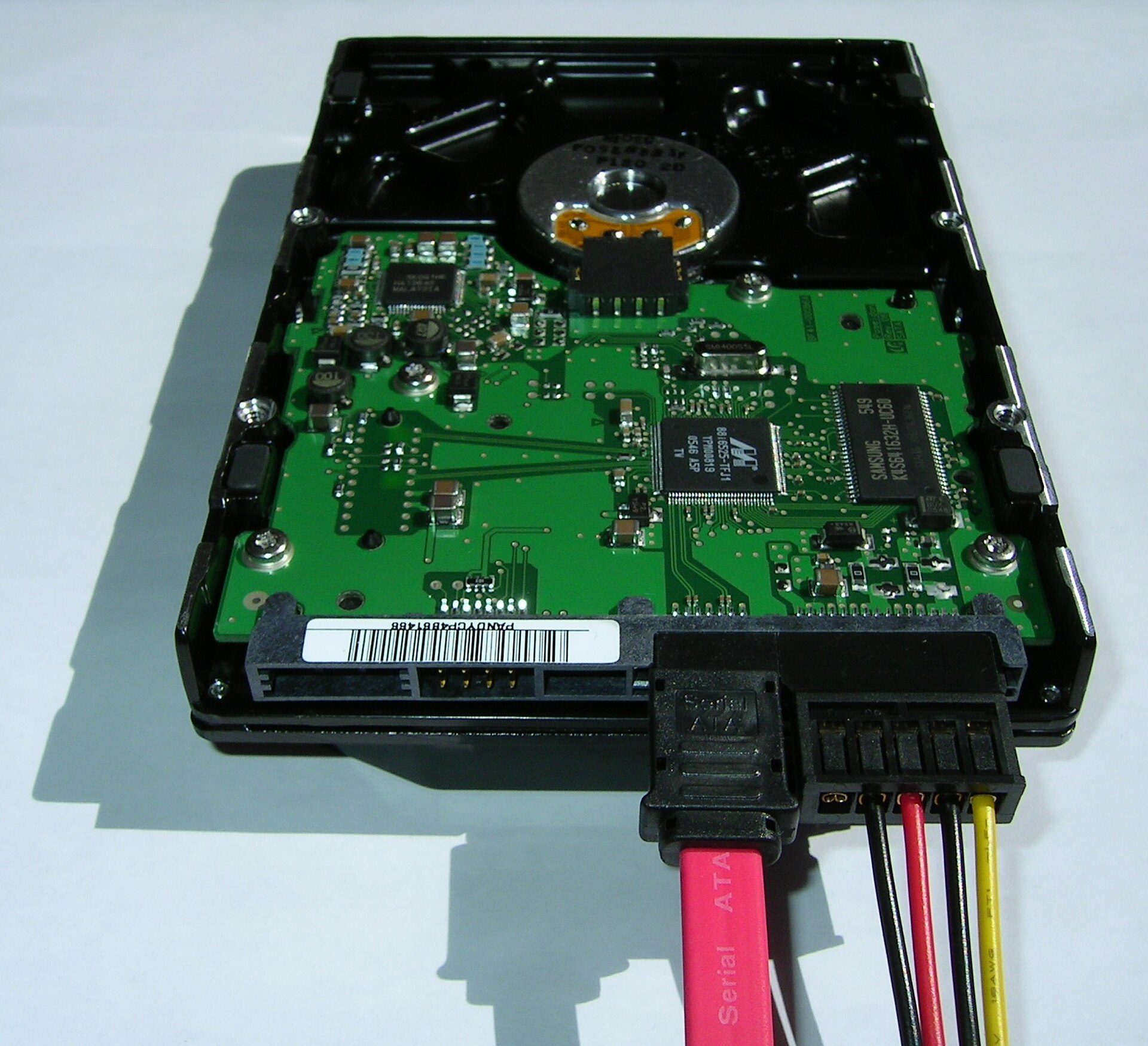
Photo: Thomas Rosenau, User:Pumbaa80 / Wikimedia Commons, CC BY-SA 2.5
Safety warning: Always shut down the recorder and unplug the 220 V mains (or the adapter) before opening the cover or fitting or removing a drive; never hot-plug a drive unless the unit has hot-swap trays. Touch an earthed metal case or wear an anti-static wrist strap before handling drives and boards. If the recorder sits on a high shelf or in a rack, use a sturdy ladder with someone holding it, never a swivel chair. Do not install the recorder in a closed cupboard without ventilation: an overheated drive fails early and loses footage.
Worked example: an 8-camera shop that needs 30 days
Ms Lan runs a street-front grocery in Thu Duc (Ho Chi Minh City) and wants 30 days of footage for month-end checks. The system has 8 IP cameras on an 8-port PoE NVR with two drive bays. You agree with her: six 2MP cameras (store room, aisles, yard) and two 4MP cameras (till and front door), all H.265, recording continuously at 25 fps.
Step 1: add up system bitrate
- 6 cameras 2MP × 2 Mbps = 12 Mbps.
- 2 cameras 4MP × 4 Mbps = 8 Mbps.
- Total: 12 + 8 = 20 Mbps.
Step 2: daily storage and drive size
- Per day: 20 × 10.8 = 216 GB.
- 30 days: 216 × 30 = 6,480 GB.
- Labelled size: 6,480 ÷ 0.9 = 7,200 GB, or 7.2 TB. The next size on sale is 8TB (one 8TB drive, or two 4TB drives filling both bays).
- Check: 8TB gives 8,000 × 0.9 = 7,200 GB usable; 7,200 ÷ 216 ≈ 33 days, meeting the 30-day target with about 3 days spare for higher night bitrate.
Step 3: compare H.264 or a smaller drive
If the cameras stay on H.264 (double the bitrate): 40 × 10.8 = 432 GB per day, and the 8TB drive drops to 7,200 ÷ 432 ≈ 16 days. If you keep H.265 but fit one 4TB drive: 3,600 ÷ 216 ≈ 16 days. These two figures show Ms Lan why she needs 8TB and why you switched every camera to H.265.
Step 4: drive cost (2026 reference, varies by area and brand)
| Option | Quantity × unit price | Total | Retention |
|---|---|---|---|
| A: one 8TB surveillance drive | 1 × 5,200,000 VND | 5,200,000 VND | ≈ 33 days, one bay free for expansion |
| B: two 4TB surveillance drives | 2 × 2,700,000 VND | 5,400,000 VND | ≈ 33 days, no bay free |
| C: one 4TB surveillance drive | 1 × 2,700,000 VND | 2,700,000 VND | ≈ 16 days, does not meet the target |
In Vietnam, 2026 reference prices for surveillance drives run roughly 2,400,000–3,200,000 VND for 4TB and 4,500,000–6,000,000 VND (about 180–235 USD) for 8TB, depending on brand, area and timing. You recommend option A: it costs 5,400,000 − 5,200,000 = 200,000 VND less than B and leaves a bay free if she later wants 60 days. Write "about 30 days at the configured settings, may vary with the scene" in the handover record.
Extending retention without buying another drive
When a customer already has a recorder and drive and wants longer retention without spending, you can change the configuration. Each change trades away quality or completeness, so explain it first.
The most effective changes
- Switch H.264 to H.265: usually halves storage. Make sure both camera and recorder support it, then check playback for break-up during fast motion.
- Motion recording for secondary cameras: draw zones that avoid trees and the road outside the gate so you do not record for nothing.
- Lower fps on quiet cameras from 25 to about 12–15 fps.
- Use VBR with a sensible maximum instead of a high CBR for cameras watching still scenes.
What not to do
Do not lower the resolution of the till or entrance cameras just to keep footage longer: when you need a face or a banknote, the detail will not be there. Do not disable overwrite: a full drive means the recorder stops recording and the customer loses footage without knowing. Do not put key cameras on motion recording until you have tested sensitivity by day and by night.
Check real retention
After 2–3 days, open drive management and read the space used. Divide by the number of days for real GB per day, then recalculate retention. For example, Ms Lan's system uses 690 GB in 3 days: 690 ÷ 3 = 230 GB per day, and 7,200 ÷ 230 ≈ 31 days, still on target. If it falls short, fix the settings while the job is still under your warranty, before the customer finds out.
Common mistakes when sizing CCTV drives
Mixing up bits and bytes
Sign: your retention figure is 8 times reality. Cause: multiplying Mbps by seconds and calling it "MB". Fix: always divide by 8, or just use 10.8 GB per day per 1 Mbps.
Using the advertised bitrate, not the real setting
Sign: you promised 30 days and the system holds 18. Cause: taking a brochure or "minimum" figure while the cameras run H.264 or a high default bitrate. Fix: open each camera's configuration page, read the real bitrate and codec, then calculate.
Forgetting night and busy scenes
Sign: retention drops in the rainy season or after the customer adds a light at the gate. Cause: VBR rises with rain, moving foliage and infrared noise. Fix: always quote with 10–20% spare and measure again after a few days.
Drive full but overwrite disabled
Sign: playback stops at a fixed date with nothing after it. Cause: overwrite is off, or the drive has failed. Fix: enable overwrite and check drive status; if the drive reports errors, replace it instead of formatting it again and again.
Frequently asked questions
How many days will a 1TB CCTV drive hold?
It depends on camera count and bitrate. One 2MP H.265 camera at 2 Mbps uses 21.6 GB per day, so 1TB (about 900 GB usable) holds about 41 days; four such cameras get about 10 days; four cameras on H.264 only about 5 days.
How many days does a 2TB drive hold with 8 cameras?
Eight 2MP H.265 cameras at 2 Mbps: 8 × 2 × 10.8 = 172.8 GB per day; 1,800 ÷ 172.8 ≈ 10 days of continuous recording. For about 30 days you need a 6TB drive or larger, or move some cameras to motion recording.
How do I calculate for a camera with a memory card?
Use the same formula with the card's capacity. Wi-Fi cameras usually run a low bitrate, around 1 Mbps: a 128GB card gives about 115 GB usable, and 115 ÷ 10.8 ≈ 10 days of continuous recording. Cards handle constant writing less well than drives, so choose cards labelled for surveillance use.
Should I fit a large drive from the start?
Choose a drive that meets the customer's days plus about 10–20% spare. If the recorder has a free bay, prefer one large drive and keep the other bay for later, as in option A of the example.
Practice and self-assessment
- Calculate GB per day and retention for four 4MP H.265 cameras at 4 Mbps with a 2TB and a 4TB drive.
- A cafe has six 2MP cameras and wants 20 days. Work out the drive size with H.265 and with H.264, and pick sizes that are on sale.
- On a real recorder or a simulator, read each camera's bitrate and codec and record them in a table.
- After 2 days of running, read the space used and recalculate real retention.
Self-assessment criteria
- Pass: you use the 10.8 factor and the right units (Mbps, GB, TB); every addition, multiplication and division agrees.
- Pass: the retention you quote is rounded down and includes a margin.
- Pass: you can check overwrite, recording schedules and system time on the recorder.
- Not yet: you forget to divide by 8, size from advertised bitrates, or quote retention without measuring after the system has run.
Once the drive is set up, the next job is letting the customer play footage back on their phone; see how to view your CCTV cameras on your phone: apps, sharing, security. After that, move on to the next roadmap step: System security and troubleshooting, where you learn to handle drive errors, lost video and recorders that keep rebooting.
Keep learning CCTV installation: after recorder setup come system security, an 8-camera shop project and all-in quoting. See the 8-step CCTV installer roadmap.