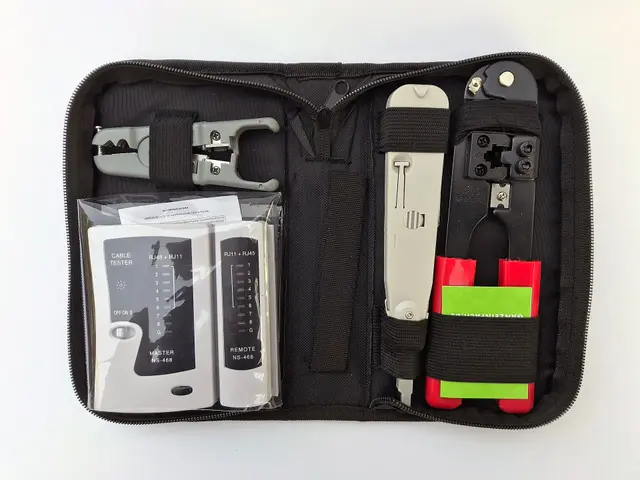
Field safety for a network installation technician comes down to four habits: treat every wire on a pole as live and keep clear of medium and low voltage lines; climb only on a secure ladder and always clip in your harness; never look straight into a fibre end; and collect every scrap of cut fibre. In Vietnam, network cables usually hang on the same poles as power lines, so the most dangerous beginner mistake is not crimping a connector wrong but touching something you thought was "just a network cable". This is the first step of the roadmap, with a checklist you can use from your very first shift.
By the end of this lesson, you will be able to:
- Tell medium voltage lines, low voltage lines and telecom cables apart on a shared pole, and know which zones a ladder or tool must never enter.
- Inspect a pole, set up a ladder, and put on and clip in a full-body harness correctly before climbing.
- Explain why light in an optical fibre can harm your eyes even though you cannot see it, and apply five rules for connectors.
- Collect fibre scraps in a capped container and deal with a fibre splinter in the skin.
- Run a 10-point safety checklist before every shift and work out the cost of a personal protective kit.
Just starting out as a network installer? Pole, power-line and laser safety is step 1 of the roadmap, before IP addressing, routers or fibre drops. See the 8-step network and internet installer roadmap.
The main hazards for a network technician in the field
A network installer's daily work is running fibre from the distribution box on a pole into a customer's home, installing the modem and repairing broken cables. It sounds light, but you work at height, in the street, next to the power grid and with laser light. Besides the two hazards below there are lasers and fibre scraps, each covered in its own section later.
Falling from height
Distribution boxes are usually mounted a few metres up a concrete pole or a house wall. A fall from that height is enough to cause spinal injury, broken bones or death. Common causes: the ladder foot slips, the pole is rotten or leaning, or the harness is not clipped in because "it's only two minutes up there".
Electric shock from power lines on the same pole
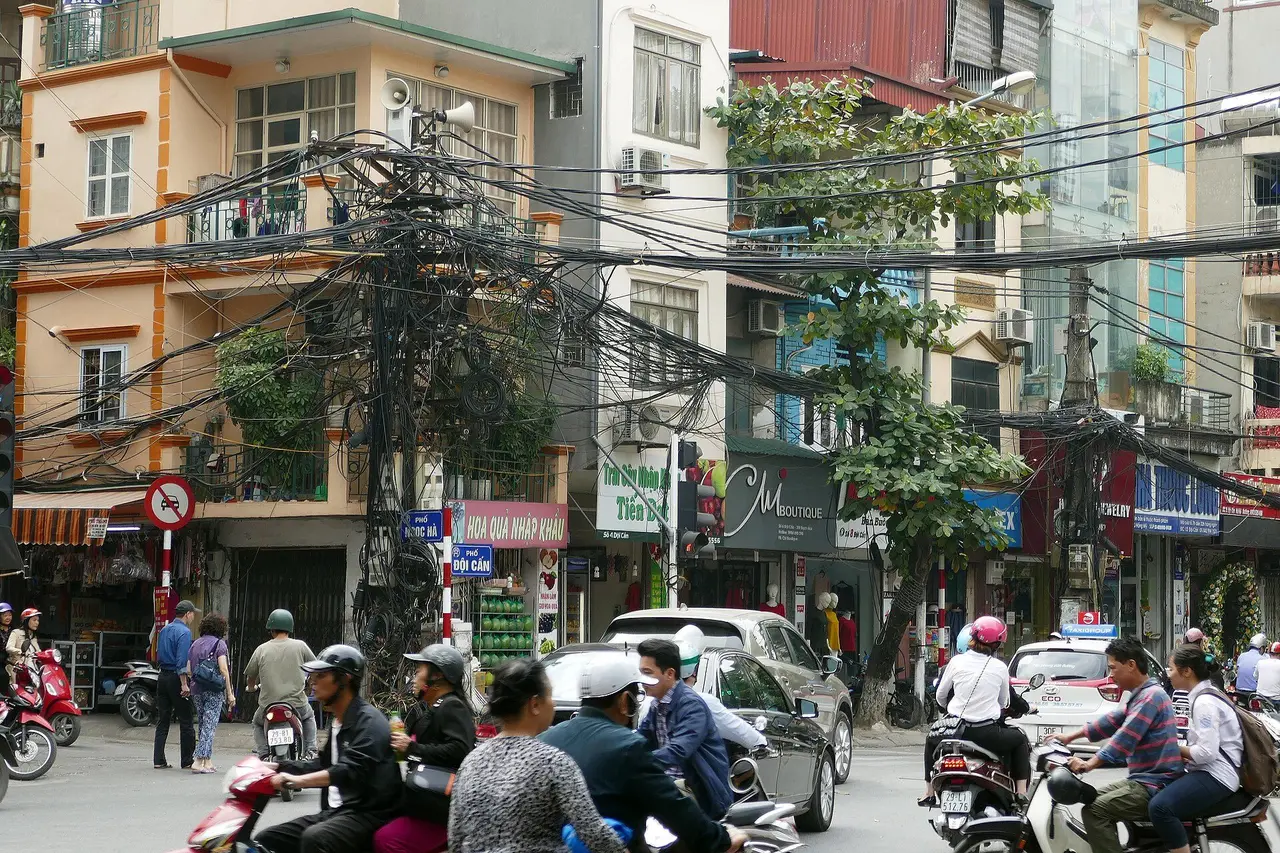
In old streets and narrow alleys, telecom cables from several operators hang on the same pole as low voltage lines, sometimes right under medium voltage lines (Figure 1). Telecom cable itself carries no dangerous voltage, but metal messenger wire, metal boxes and steel poles can become live if a power line is damaged, falls or touches them. An aluminium ladder touching a power line is a classic fatal accident in every trade that works on poles.
Keep clear of medium and low voltage lines
Rule number one under a shared pole: do not raise a ladder until you have identified every type of wire. You are not an electrician and must not touch the power network, so the goal is to recognise it in order to stay away.
Identify the wires on a pole
- Medium voltage lines: usually at the very top, running on a crossarm on large insulators. The voltage is many times that of household power and can arc to a conductive object that comes close, without contact.
- Low voltage lines: below the medium voltage lines, often a black twisted bundle (aerial bundled cable) or wires on small insulators, with meter boxes and service drops to houses.
- Telecom cables: usually the lowest layer, including fibre cable with a messenger wire, coaxial TV cable, distribution boxes and coils of spare cable.
If you are not sure what a wire is, treat it as a power line. On old routes, a service drop can run tangled inside a bundle of telecom cables.
The "assume it is live" rules
- Never let your body, ladder, cable pole or cable drum into the zone near medium voltage lines. The minimum distance depends on the voltage and is set by the current electrical safety regulations and your company's own rules; ask your team leader for the figure that applies to your unit and write it in your notebook.
- Before touching a steel pole, metal messenger wire or metal box, sweep it with a non-contact voltage tester. If it signals voltage, stop, step back and report to the power company and your team leader.
- Never use power lines, insulators or crossarms as a handhold, foothold or anchor for your harness.
- Never throw cable over a power line; when running cable across a street, choose a spot away from power lines and have someone watching.
Insulated ladders, no aluminium near power lines
On poles with power lines, use a fibreglass (composite) insulated ladder, kept dry and clean, because mud and water on the rails reduce insulation. Use aluminium ladders only where there are no power lines nearby. Carry the ladder horizontally and look up at the wires before raising it.
When a cable snags or touches a power line
If you see a cable sagging onto a power line, a fallen power line, hissing or sparks: do not pull, untangle or cut anything. Cordon off the area, keep passers-by away, call the power company and your team leader. That is a job for a qualified electrician.
Climbing poles and working at height safely
Working at height near power lines belongs to the group of jobs with strict occupational safety requirements in Vietnam. Under current rules, workers must be safety-trained and hold the appropriate certificate; ask your company's safety department and never climb before you have been trained.
Inspect the pole before climbing
- Concrete pole: vertical cracks, exposed rusty rebar, a clear lean, digging around the base.
- Wooden or temporary pole: rotten base, hollow sound when tapped, deep splits.
- Surroundings: wasp or ant nests, overhanging branches, standing water at the base.
- If you see any of the above, do not climb; photograph it, report to your team leader and choose another approach.
Set up the ladder correctly
- Stand the ladder on firm, level ground; on soft soil, put a wide board under the feet.
- Place the foot about 1/4 of the height to the support point away from the pole (a ladder resting 4 m up has its foot about 1 m out).
- Tie the top of the ladder to the pole before working; have someone foot the ladder while you climb and tie it.
- Never stand on the top 3 rungs; keep 3 points of contact while climbing and carry tools in a pouch or haul them up on a line.
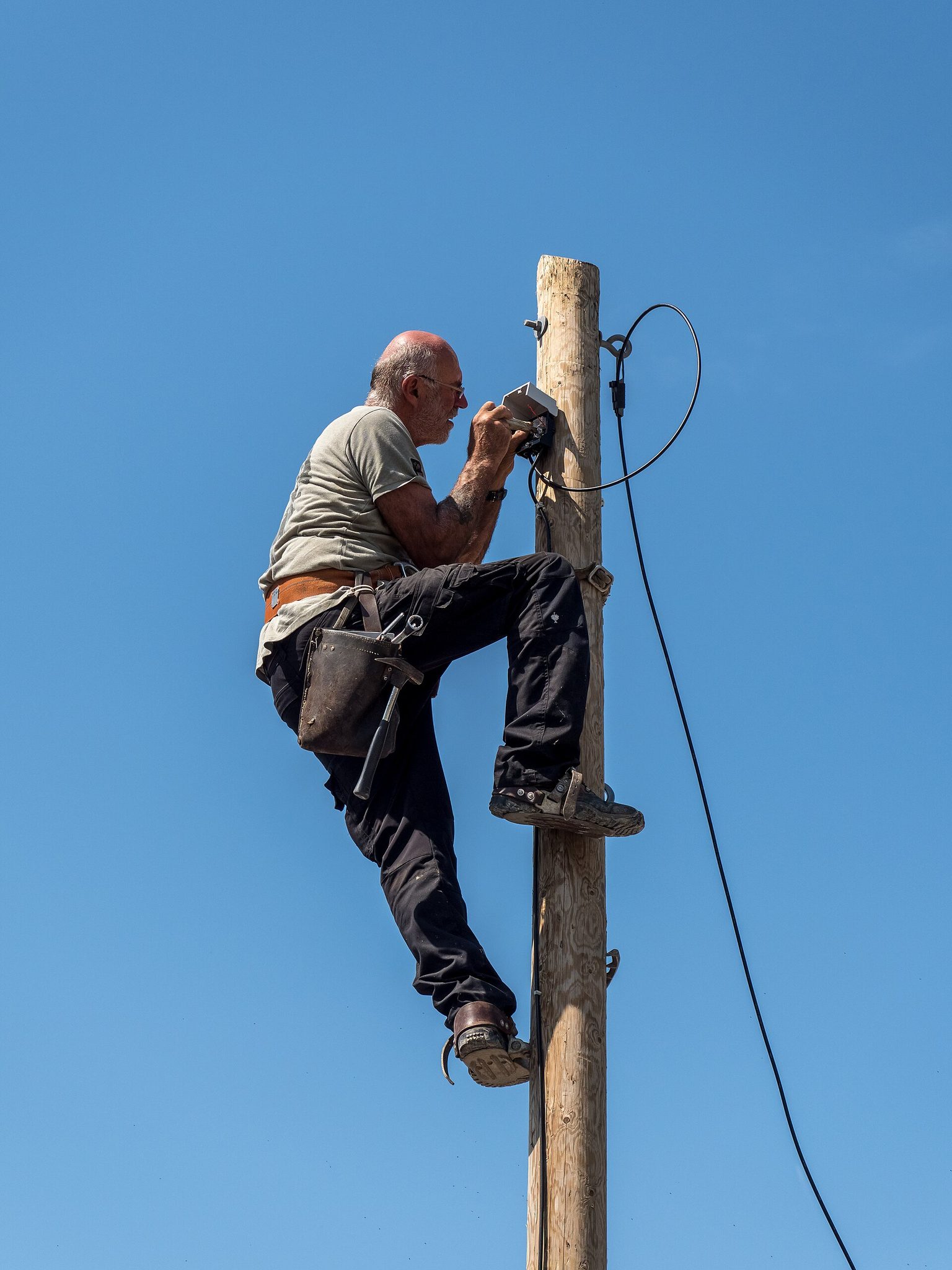
Photo: Ermell / Wikimedia Commons, CC BY-SA 4.0
Full-body harness and pole strap
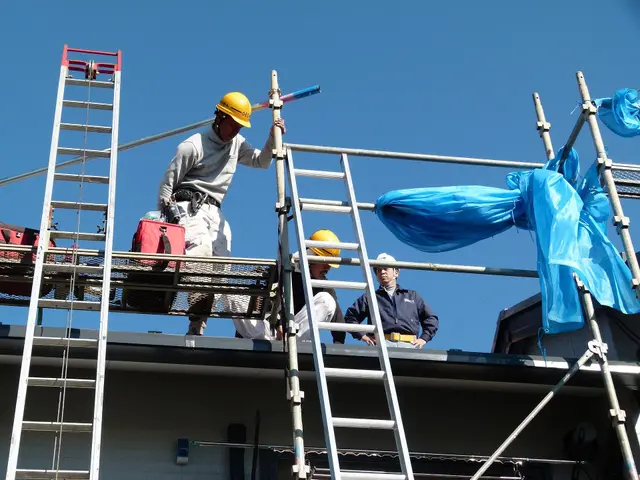
A waist belt is not enough where there is a risk of falling: in a fall, the whole force goes into your stomach and lower back. Use a full-body harness with shoulder straps, leg loops, a back D-ring and a shock-absorbing lanyard (Figure 3). On the pole, add a pole strap to support your body and free both hands. As Figure 2 shows, no hard hat and no strap means missing the two most important layers of protection.
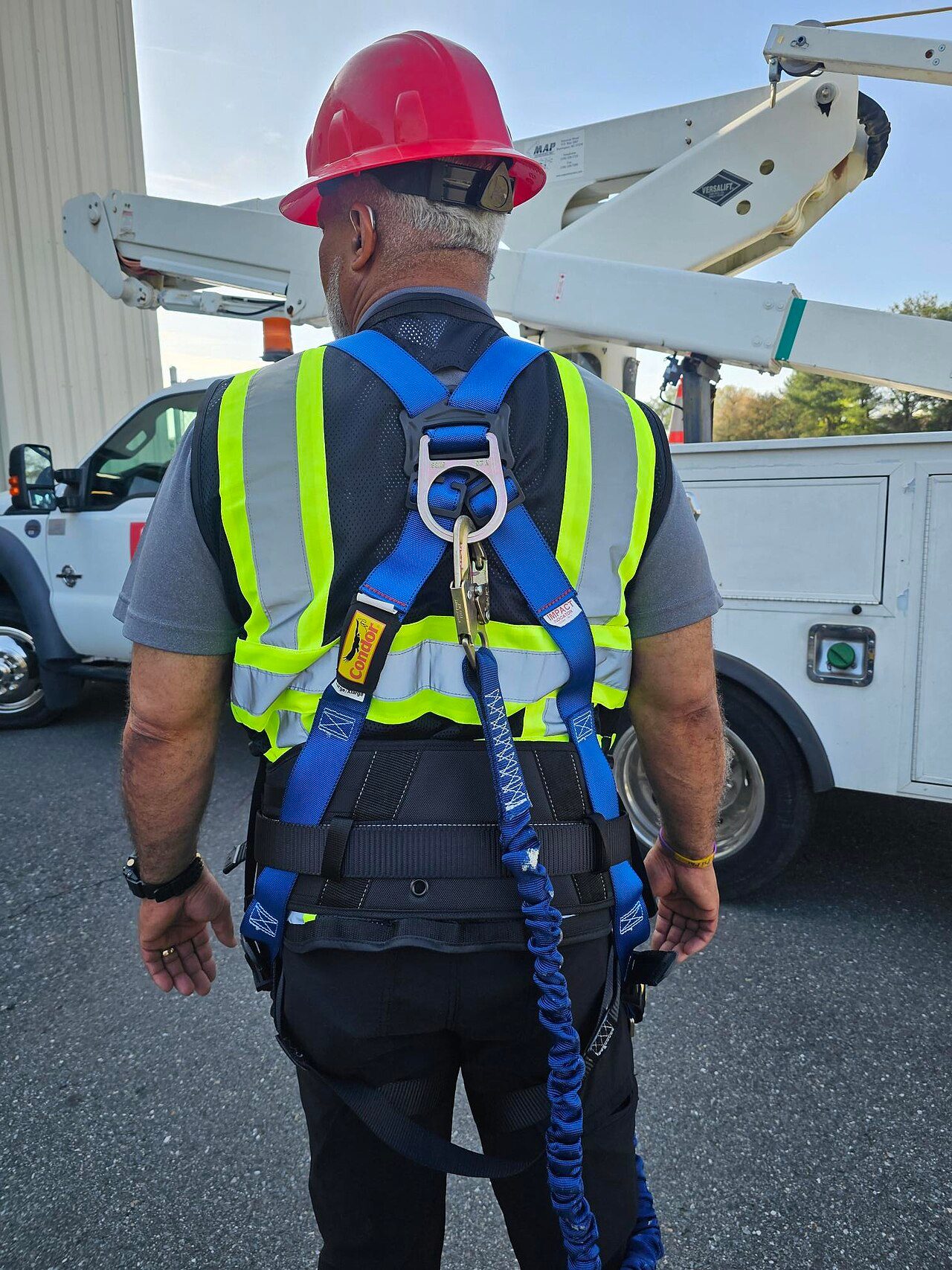
Photo: SafetyEdition / Wikimedia Commons, CC0
Check your harness before every shift
- Webbing not frayed, cut, burnt or stained with chemicals; stitching intact.
- Snap hooks self-closing and springing back firmly; no rust, no bending.
- Shock absorber not deployed; a harness that has arrested a fall must be retired.
- Correct fit: about two fingers between leg loop and thigh.
Do not climb in heavy rain, strong wind or thunderstorms, or when you are tired, dizzy or have been drinking.
Lasers in optical fibre: never look into a fibre end
This is the hazard beginners take most lightly because "there's nothing to see". That is exactly why it is dangerous.
Why invisible light can still harm your eyes
FTTH fibre networks use infrared light, commonly around 1310, 1490 and 1550 nm, outside the range the human eye can see. Because it does not look bright, you do not blink and your pupil does not shrink, and the light is still focused onto the retina. Customer equipment usually transmits at low power, but the network also has stronger sources such as OTDR test sets and cable TV optical amplifiers. You do not know what the fibre in front of you is connected to, so always assume it is live.
Five rules for connectors and fibre ends
- Never look into a connector, an optical port on a modem or splitter, or a freshly cleaved fibre, even if you believe it is off.
- Check for signal with an optical power meter (OPM), never by eye; you learn how to measure in the fibre drop step.
- Inspect connector cleanliness with a filtered fibre scope or a video inspection probe, not an ordinary magnifier.
- Keep dust caps on unused connectors: they stop dust and block light.
- When showing a fibre to someone, point the end at the ground, never at anyone's face.
A visual fault locator is a laser too
A visual fault locator (VFL) emits visible red light to find breaks and tight bends in patch cords: the damaged spot glows red (Figure 4). It is still a laser: do not look into the output or shine it at anyone's eyes.
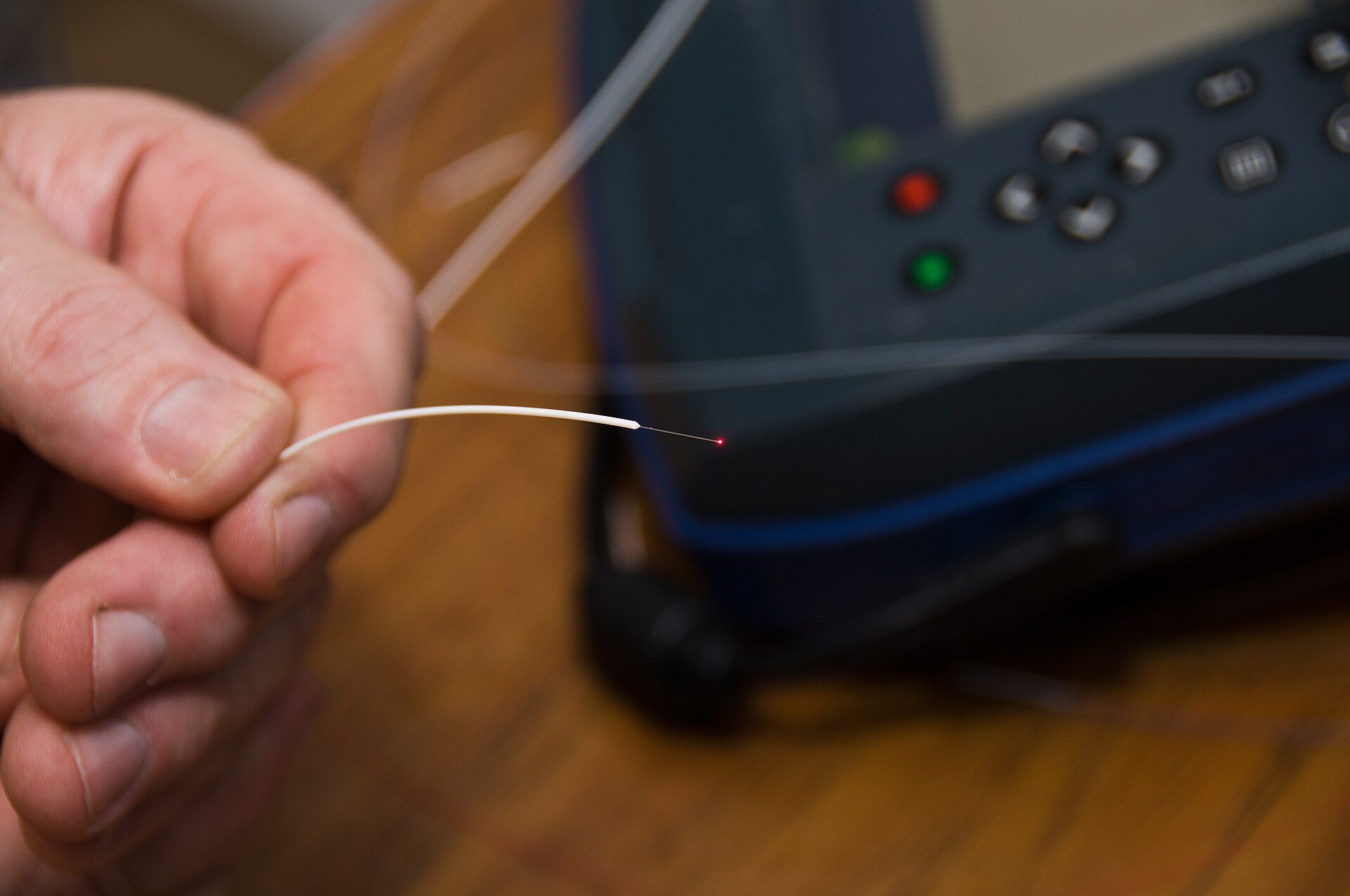
Photo: Savannah River Site / Wikimedia Commons, Public domain
Collecting fibre scraps
Optical fibre is glass, with a cladding about 125 micrometres across, roughly the width of a hair. Each time you strip and cleave for a connector or a splice, you create a few pieces from millimetres to centimetres long.
Why fibre scraps are dangerous
- They pierce skin easily, are almost invisible, and break off inside, causing pain, swelling and possible infection.
- They get into eyes when you rub them with hands that have just cut fibre.
- Left on a customer's floor, they end up in the feet of small children or pets.
How to collect fibre scraps
- Lay down a dark work mat so the clear, white scraps are easy to see.
- Carry a clearly labelled fibre scrap container with a tight lid, like the white bottle next to the splicer in Figure 5. Drop each piece in as soon as you cut it.
- Pick up small pieces with sticky tape; never with bare fingers, never blow or brush them away.
- Wear safety glasses when cleaving; no eating, drinking or smoking while cutting or splicing.
- When finished, check the bench, floor and clothes; wash your hands with soap before touching your face.
- When the container is full, seal it and dispose of it as sharps waste following company instructions, never in the customer's bin.
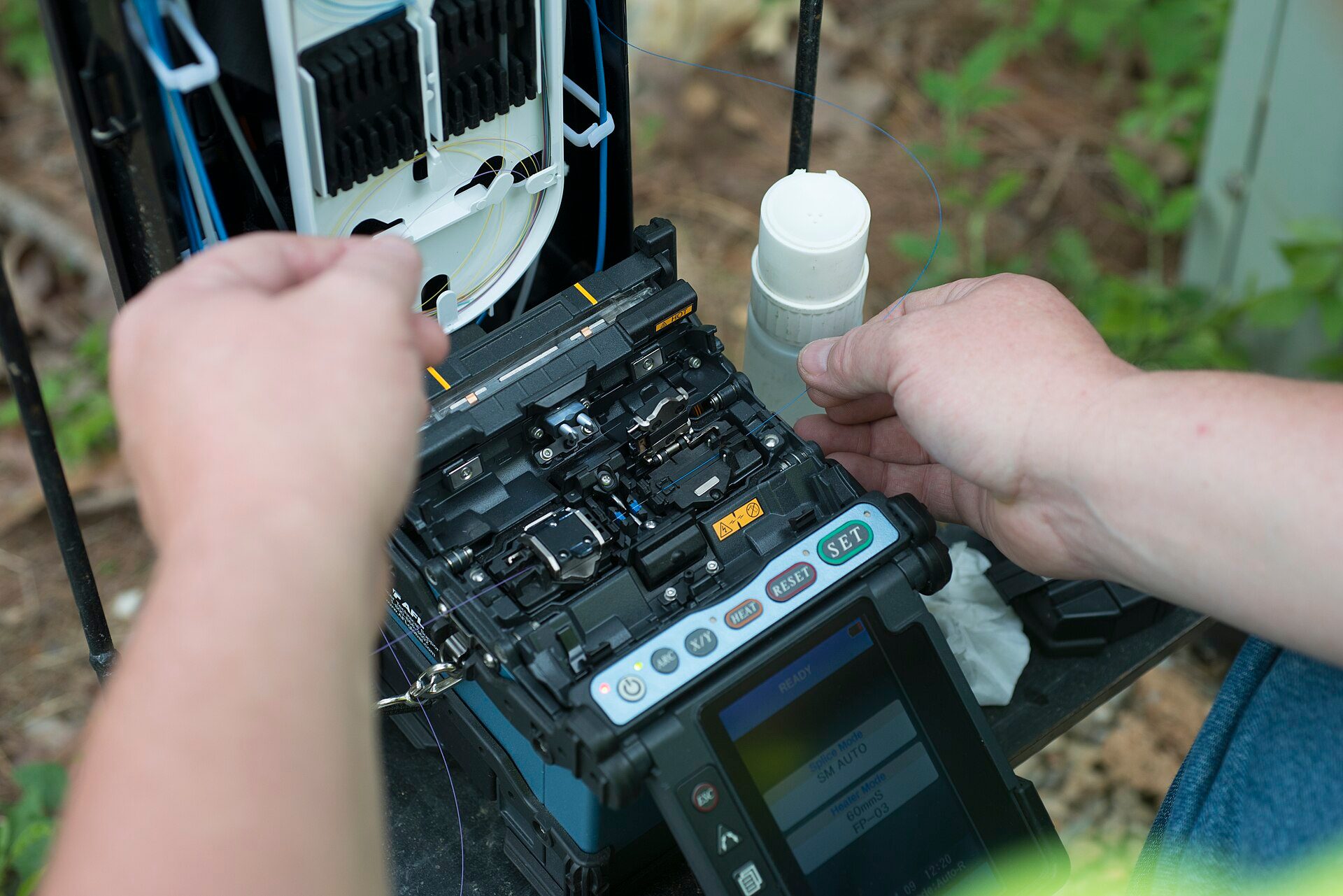
Photo: U.S. Department of Agriculture / Wikimedia Commons, Public domain
If a fibre scrap gets into your skin or eye
If the end is visible: wash, remove it with clean tweezers under good light and disinfect; do not squeeze or rub, as the splinter can break deeper. If you cannot see the end, if redness and pain increase over a few days, or if a piece gets into your eye: do not rub, rinse gently with clean water and see a doctor straight away. This lesson does not replace medical advice.
Safety warning: Treat every wire on a pole as live, keep people, ladders and tools away from medium voltage lines, and sweep steel poles and metal messenger wire with a voltage tester before touching. If you see a fallen line or sparks, do not touch anything; cordon off the area and call the power company. At height, always wear a full-body harness clipped to a solid anchor, and never climb in thunderstorms. Never look into a fibre end, connector or VFL. Fibre cleaning alcohol is flammable; keep it away from flames. If someone is electrocuted or falls from height: do not touch the casualty until the power is off, call 115 (Vietnam's ambulance number) immediately, and do not move anyone with a suspected spinal injury.
Protective equipment table and pre-shift checklist
The table below is the minimum personal protective kit for a field network technician; ladders are usually supplied by the company. Prices are a 2026 reference in Vietnam and vary by region and quality; choose equipment with clear certification labels.
| Equipment | Pre-shift check | Reference price 2026 |
|---|---|---|
| Hard hat with chin strap | Shell not cracked, strap fastens firmly | 80,000–200,000 VND |
| Full-body harness + shock-absorbing lanyard | Webbing not frayed, hooks spring back, absorber not deployed | 600,000–1,500,000 VND |
| Pole strap | Not frayed, hook secure | 250,000–600,000 VND |
| Safety glasses | Not scratched or cloudy | 40,000–150,000 VND |
| Work gloves | Fingertips not torn | 20,000–50,000 VND/pair |
| Non-slip safety boots | Tread still deep | 300,000–800,000 VND |
| High-visibility vest | Reflective strips still bright | 50,000–120,000 VND |
| Non-contact voltage tester | Test on a live socket before use | 150,000–500,000 VND |
| Capped fibre scrap container | Lid tight, label clear | 30,000–80,000 VND |
10-point checklist before every shift
- Weather: no thunderstorms, no strong wind.
- Health: alert, no alcohol, no dizziness.
- Hard hat, harness and pole strap checked as in the table.
- Voltage tester tested on a live source.
- Ladder not cracked, rungs firm, non-slip feet present.
- Pole not cracked, not leaning, no wasp or ant nests.
- Medium voltage, low voltage and telecom cables on the pole identified.
- Traffic cones placed on both sides of the ladder, high-visibility vest on; motorbike parked out of the way.
- Safety glasses, scrap container and work mat ready.
- Someone knows where you are working (a colleague or the team chat group).
Worked example: one fibre installation shift for a 3-storey tube house in an alley
You are an apprentice going with a lead technician to install a new fibre connection for a 3-storey tube house (a narrow, deep Vietnamese townhouse) in an alley about 3 m wide. The distribution box is on a concrete pole at the head of the alley, about 40 m from the house. The pole carries medium voltage lines on the top crossarm, a twisted low voltage bundle in the middle and three telecom cable runs below. The weather is sunny and calm.
Job sequence and time
| Step | Task | Time |
|---|---|---|
| 1 | Survey the pole, identify wires, check weather; place cones, put on vest | 10 min |
| 2 | Sweep the voltage tester over the box strap and messenger wire | 3 min |
| 3 | Raise the insulated ladder, tie the top to the pole | 7 min |
| 4 | Climb, fit the pole strap, clip in; open the box, connect the subscriber drop, cap connectors | 20 min |
| 5 | Run the drop cable to the house, fix the hooks | 35 min |
| 6 | Terminate the fibre, put scraps in the container | 15 min |
| 7 | Measure the signal, install the modem for the customer | 20 min |
| 8 | Check the customer's floor and work mat, count tools, remove cones | 10 min |
| Total | 120 min | |
Check: 10 + 3 + 7 + 20 + 35 + 15 + 20 + 10 = 120 minutes. The pure safety steps (1, 2, 3, 8) take 10 + 3 + 7 + 10 = 30 minutes, or 30 ÷ 120 = 25% of the shift. Skipping those 30 minutes is gambling with your health and life.
Stop points in the example
At step 2, if the voltage tester beeps on the box strap, stop the whole job, cordon off the pole and report to the lead technician and the power company. At step 4, the lead technician positions himself so that his head, hands and ladder stay below the low voltage bundle, never reaching up towards the medium voltage lines. At step 6, if the customer offers a drink, thank them and set it aside until you have washed your hands.
Cost of a personal protective kit
Buying the kit in the table yourself at mid-range prices (2026 reference): hard hat 150,000 VND, full-body harness with lanyard 1,000,000 VND, pole strap 400,000 VND, glasses 80,000 VND, gloves 2 pairs × 30,000 = 60,000 VND, boots 500,000 VND, vest 80,000 VND, voltage tester 250,000 VND, scrap container 50,000 VND. Total: 150,000 + 1,000,000 + 400,000 + 80,000 + 60,000 + 500,000 + 80,000 + 250,000 + 50,000 = 2,570,000 VND (about 100 USD). Many companies supply the hard hat, harness and ladder; ask before you buy.
Common beginner mistakes and how to avoid them
Not clipping in because the job is short
Sign: climbing up "just to open the box" without a harness. Cause: complacency, hurry. Fix: make it your rule that "once my foot leaves the second rung, I am clipped in"; the team leader may stop the job if the rule is broken.
Looking into a connector "to see if it's lit"
Sign: holding a patch cord end up close to your eye. Cause: not knowing the signal is invisible infrared. Fix: use an optical power meter and always point fibre ends at the ground.
Leaving fibre scraps at the customer's home
Sign: a few days later the customer reports their child got a splinter in the foot. Cause: cleaving on the floor without a container. Fix: always use a mat, drop scraps in the container immediately, and check the floor during the end-of-job clean-up.
Frequently asked questions
Is working as a fibre technician dangerous?
There are real hazards, but they can be controlled. The three big ones are falls from height, electricity from power lines on shared poles, and lasers plus fibre scraps. Following the checklist, wearing full protective equipment and not working in bad weather reduces the risk greatly.
Do I need a safety certificate to climb telecom poles?
Working at height and near power lines carries strict safety requirements in Vietnam, so workers must be trained and certified under current regulations. Companies usually organise the training; if you work freelance, ask your local labour authority about the current rules.
Can fibre optic lasers blind you?
Subscriber network signals are usually low power, but some equipment on the route transmits more strongly, and infrared light does not make you blink. Looking directly into a fibre can damage the retina. If your vision is blurred or you notice a dark spot after accidentally looking into a fibre, see an eye doctor promptly.
Practice exercises and self-assessment
- Stand under 3 power poles near your home, photograph them and label the medium voltage lines, low voltage lines, telecom cables and distribution boxes; ask a lead technician to check.
- Put on a full-body harness, check it against the 4 points above, then raise a ladder against a wall to 4 m and tie off the top.
- Cleave 10 pieces of old fibre on a work mat, collect every scrap into the container, and check the bench with a torch held at a low angle.
Self-assessment criteria
- Pass: all wire types on all 3 poles identified correctly.
- Pass: harness fits, hook on the correct D-ring; ladder foot about 1 m from the wall.
- Pass: a low-angle torch shows no fibre scraps left on the mat or bench.
- Not yet: climbing before clipping in, looking into a fibre end, or leaving scraps outside the container.
Once you know the safety checklist by heart, move on to the next step of the roadmap: Networking basics: IP, routers, switches, Wi-Fi, where you learn what the ONT modem, router and switch each do and why Wi-Fi can be slow even on a fast plan. For indoor work, notes on drilling walls and hidden wiring are in how to fix weak Wi-Fi; copper crimping tools are covered in how to crimp an RJ45 network cable.
Keep learning network installation: after safety come networking basics, FTTH drops and ONT installation, splicing and loss testing, office cabling, Wi-Fi mesh and troubleshooting. See the 8-step network and internet installer roadmap.