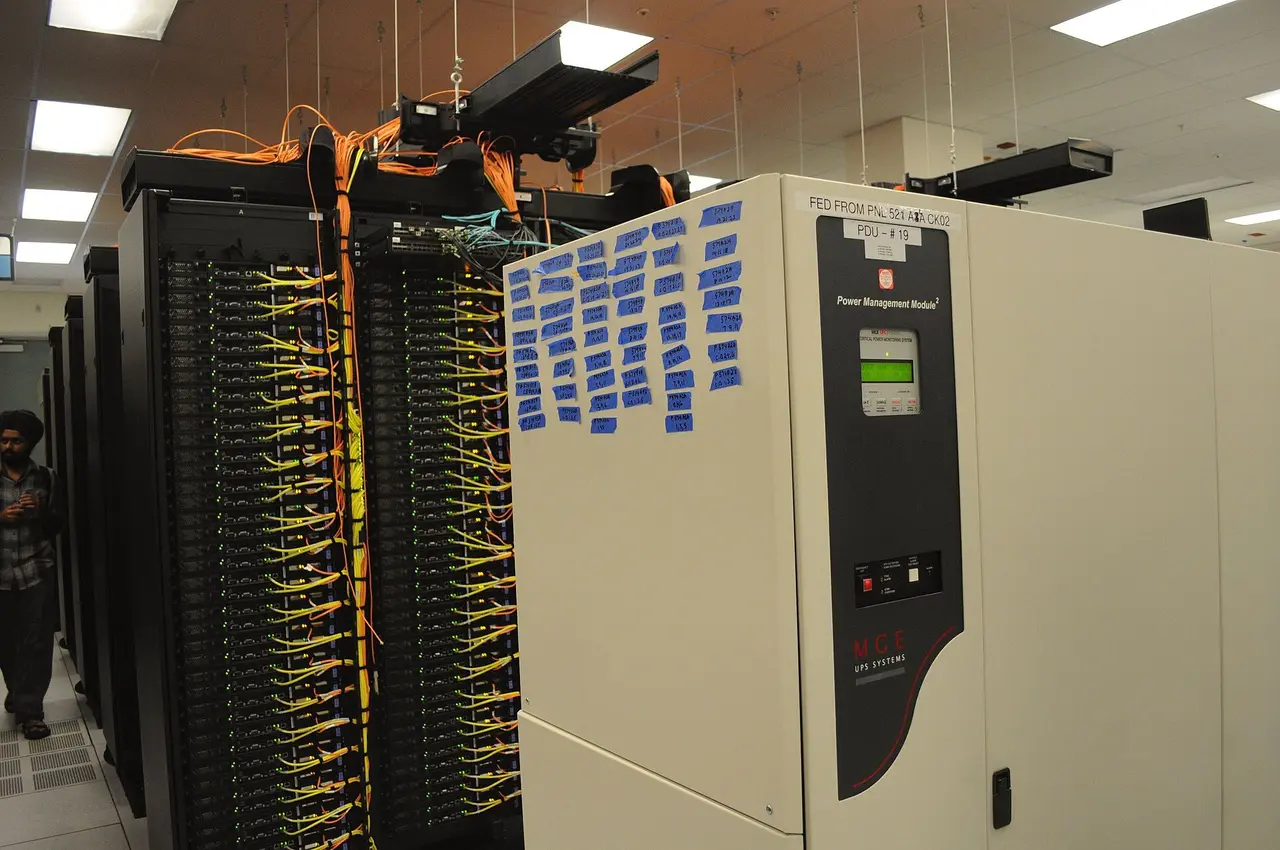
A proper server room for a small or medium office needs five things: a dedicated power circuit with a UPS, grounding and surge protection, a rack built in the right order, tidy cabling labelled at both ends, and a stable temperature of roughly 18-27°C. Beginners in network administration usually want to jump straight into configuring switches and routers, but most "the whole company is offline" incidents you will actually face come from power cuts, burnt sockets, lightning surges travelling along cables, overheating or someone unplugging the wrong cable. This lesson is the first step of the roadmap: how to work safely with power and equipment, and how to turn a cluttered storeroom into a real server room.
By the end of this lesson, you will be able to:
- Power down and remove network equipment in the right order, including dual-PSU and PoE-powered devices, while wearing an anti-static wrist strap.
- Tell the 3 types of UPS apart, add up the load and choose a UPS that gives enough time to shut servers down cleanly.
- Check rack grounding and surge protection on power and network lines, and know which jobs belong to an electrician.
- Lay out a rack from the bottom up, route cables neatly and label them with one consistent scheme.
- Run a weekly server room checklist: temperature, humidity, UPS status lights, dust, water and access.
Learning network administration properly? Electrical safety, the server room and the rack are step 1 of the 9-step roadmap, before the OSI model, subnetting, cabling and switch and router configuration. See the network and system administrator roadmap to learn in the right order.
Why does network administration start with power and the server room?
Network administration means keeping systems running. A wrong VLAN setting takes one department offline; one loose power cord can switch off the entire rack.
The most common "not a configuration problem" incidents
- Power cuts or unstable power: devices keep rebooting, NAS drives wear out, files being written get corrupted.
- Lightning surges: in the rainy season, surges travel in along power lines, copper phone lines, outdoor network cables or antennas and burn switch ports and modems.
- Overheating: the air conditioner is switched off over the weekend, the room is sealed, devices throttle or shut themselves down.
- Unplugging the wrong cable: a messy unlabelled rack, someone comes in to "tidy up" and pulls the uplink for a whole floor.
Three things you must protect
The priority is always: people, then data, then equipment. No device is worth an electric shock or a fall from a ladder. Data matters more than hardware because a switch can be replaced in a day, while three years of accounting data cannot.
Electrical safety when removing and installing network equipment
Network equipment takes 220V AC at the power input (the standard supply in Vietnam) and converts it to low-voltage DC inside. The dangerous parts are sockets, power cords, the PDU (the power strip for a rack), the UPS and the distribution board that feeds the server room. A network administrator only works on the equipment side of the socket; wiring inside the distribution board, replacing breakers and installing earthing are jobs for a qualified electrician.
Power-down procedure before removing a device
- Warn users and management in advance: which device, what time, who is affected, for how long.
- Shut down gracefully first: servers and NAS units must be shut down through the operating system, never unplugged while running.
- Unplug both power cords if the device has redundant power supplies, and unplug the PoE cable if it is powered over the network cable.
- Check that every light on the device is off, and wait a few seconds for capacitors to discharge.
- Put on an anti-static wrist strap before touching boards, RAM, drives or optical modules.
Electrostatic discharge (ESD) when handling components
Your body builds up static as you walk across the floor, wear a wool jumper or sit on a padded chair. A discharge you cannot even feel can still damage the chips on RAM, a network card or an optical module. An anti-static wrist strap (Figure 1) connects your wrist to a ground point, such as the rack's earth bar, so the charge drains away slowly. Hold components by the edges, do not touch the contacts, and store them in anti-static bags. Wrist straps, mats and handling are covered in detail in the lesson on anti-static precautions when repairing computers from the IT support career.
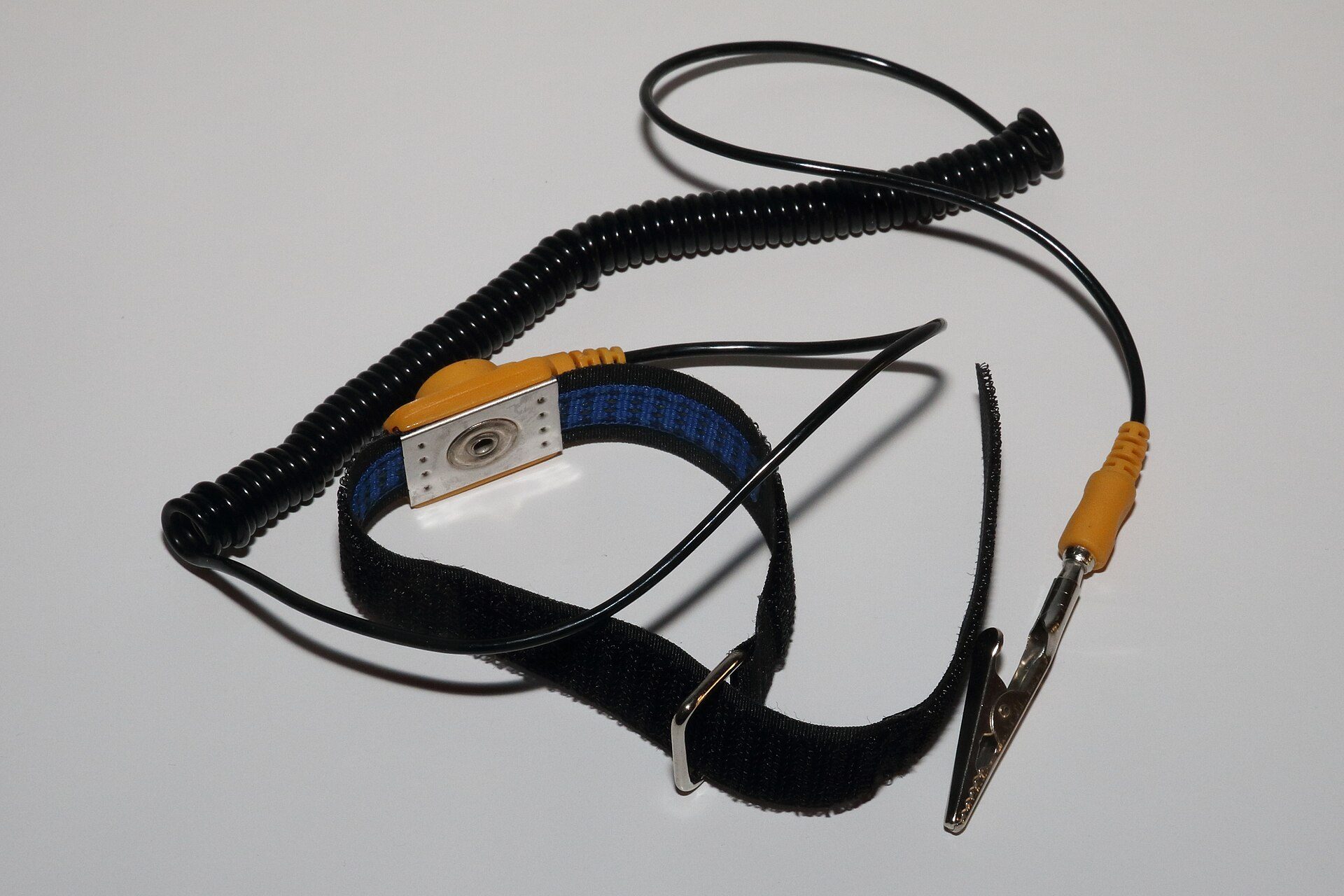
Photo: MKFI / Wikimedia Commons, Public domain
Notes on PoE and fibre
- PoE (Power over Ethernet) for cameras, Wi-Fi access points and IP phones runs at about 44-57V DC. That is not as dangerous as 220V, but plugging a PoE injector into a device that does not support it can burn the port.
- Fibre: never look straight into the end of a fibre or into a working optical module port. The infrared laser is invisible but can harm your eyes.
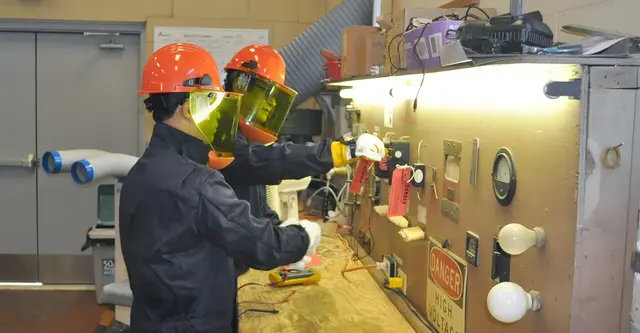
Safety warning: Never open the cover of a server power supply, UPS or PDU: there are capacitors and dangerous voltages inside even after unplugging. A UPS keeps supplying its outlets when mains power is cut, so switching off the breaker does not mean the sockets in the rack are dead. Do not wire inside the distribution board, replace breakers or install earthing unless you are a qualified electrician. If you smell burning, hear crackling or see a melting socket: switch off the server room's main breaker if you can do so safely and call an electrician; in case of fire call 114 (the fire service number in Vietnam) and use a CO2 or powder extinguisher, never water.
UPS, grounding and surge protection
These three protect the system from the things you cannot control: the mains supply and the weather.
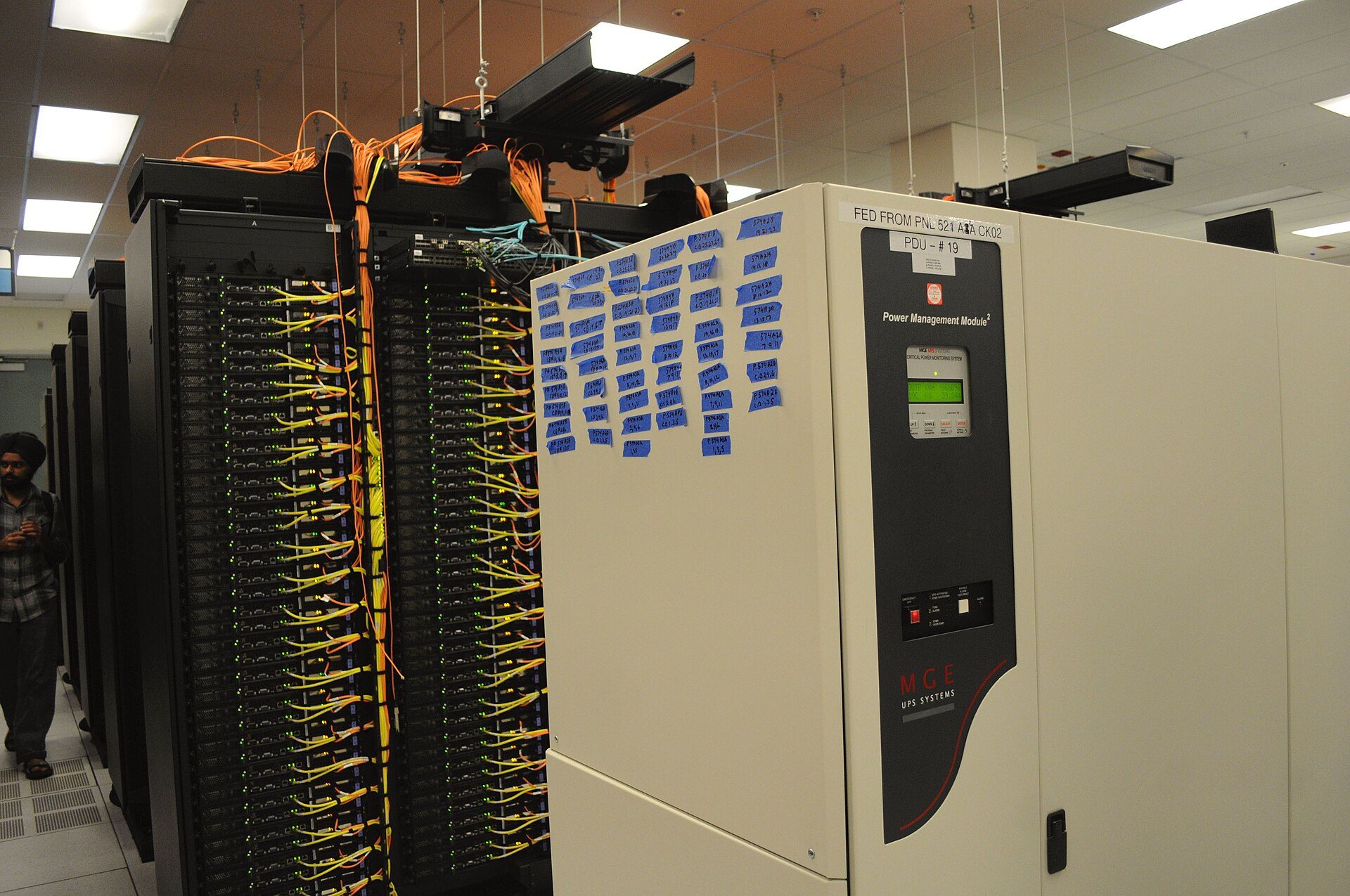
Photo: Derrick Coetzee from Berkeley, CA, USA / Wikimedia Commons, CC0
Three types of UPS, and which one suits a server room
A UPS (uninterruptible power supply) keeps equipment running during a power cut long enough to shut down cleanly or wait for a generator. Figure 2 shows a data-centre UPS; an office server room usually has a rack-mount UPS like the one in Figure 3. The table compares the three common types.
| UPS type | How it works | Strength | Suits |
|---|---|---|---|
| Offline (standby) | Passes mains power straight through, switches to battery only when power fails | Cheap, small | Desktop PCs, home modems |
| Line-interactive | Has automatic voltage regulation, switches to battery faster than offline | Mid-priced, copes with mild sags | Small network cabinets, offices with stable power |
| Online (double conversion) | Always converts AC to DC and back, so equipment always runs from the inverter | No transfer time, good filtering | Servers, NAS, unstable power, industrial parks |
Read two ratings: apparent power (VA) and real power (W). Size by watts and keep the load at about 50-70% of real power, which leaves headroom and gives longer runtime. Sealed batteries in a UPS typically degrade after about 3-5 years depending on room temperature; a hot room wears them out faster.
Grounding the rack
Grounding (earthing) gives leakage current and surges a path to earth so that equipment cases do not become live during a fault. A rack has an earth bar or earth bolt; a green-and-yellow wire runs from there to the room's main earth bar (visible on the right of the cabinet in Figure 3). Sockets feeding the rack must be three-pin with a real earth connection, not a dummy pin. The earth resistance the installation must reach is set by its design and the applicable standards; measuring it with an earth tester and driving earth rods is the electrician's job. Your part is to check that the earth wire is present, the bolts are tight, and that it is re-tested periodically. For breakers and earthing on the distribution board side, see the lesson on installing a home distribution board with earthing.
Surge protection for power and network lines
Lightning does not have to strike the building; induced surges travel along power lines, copper phone lines, outdoor network cables and antenna cables into the server room. A surge protective device (SPD) clips the surge before it reaches the equipment. Think about three places:
- Power line: an SPD in the distribution board that feeds the server room, installed by an electrician.
- Outdoor network runs: copper cable to cameras in the yard, outdoor Wi-Fi, or links to another factory building need Ethernet surge protectors that are earthed.
- Provider line: prefer fibre into the building, because glass fibre does not conduct electricity.
Laying out a rack properly
A rack is a standard 19-inch frame for mounting equipment. Height is measured in U, where 1U is about 44.45 mm. Office racks are commonly 10U, 15U, 20U, 27U or 42U; 600 mm deep for network gear, 800-1000 mm if you have rack servers. Figure 3 shows a small office cabinet: a 19-inch server at the top, the UPS at the bottom left.
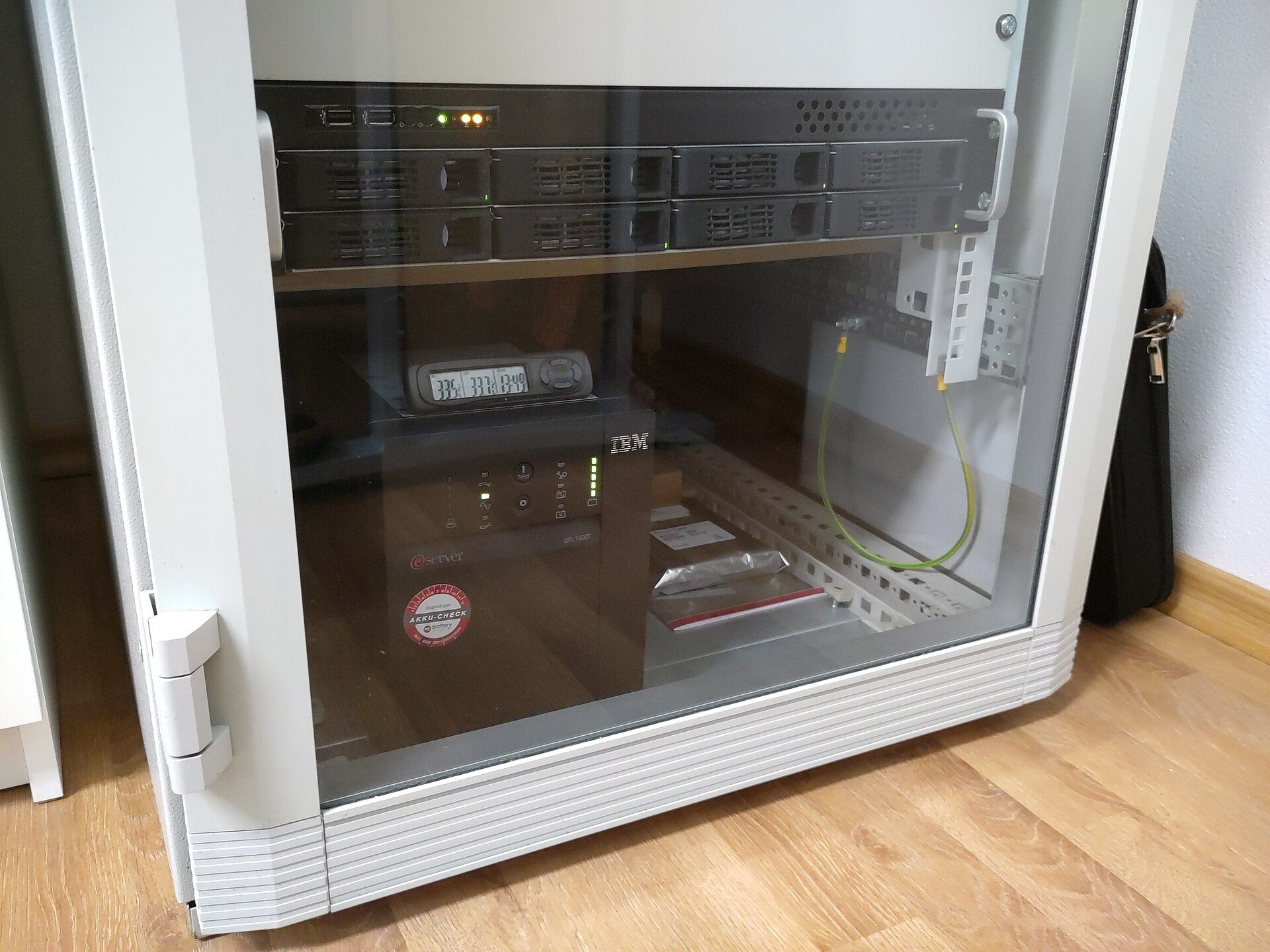
Photo: Achimsh / Wikimedia Commons, CC BY-SA 4.0
Install from the bottom up
- Bottom: UPS and batteries, because they are heaviest; this keeps the centre of gravity low so the rack will not tip.
- Middle: servers, NAS, the camera recorder (usually on a shelf).
- Upper: switches, firewall, router, fibre modem.
- Top: patch panels (the termination panels for cables coming from wall outlets), with 1U cable managers between patch panels and switches.
- Rear or along the side: the PDU, split into two feeds if devices have dual power supplies.
Leave about 20-30% of the U space free for growth and airflow. Cover empty slots at the front with blanking panels so hot air from the back does not loop round to the front.
Tidy routing: power on one side, data on the other
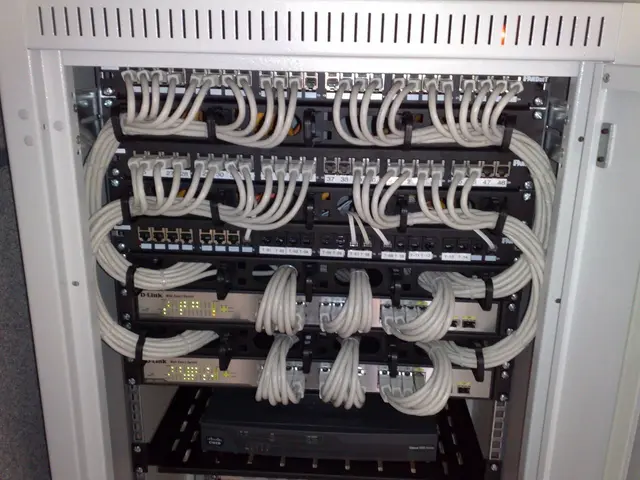
Run power cords down one side of the rack and network cables down the other; do not bundle them together, to reduce interference and make tracing easy. Use patch cords of the right length, colour-coded by function as in Figure 4: for example blue for users, yellow for cameras, red for uplinks, grey for servers. Bundle with hook-and-loop straps, not over-tightened plastic cable ties. Keep the front of every device clear for cool air; never let a bundle block a fan.
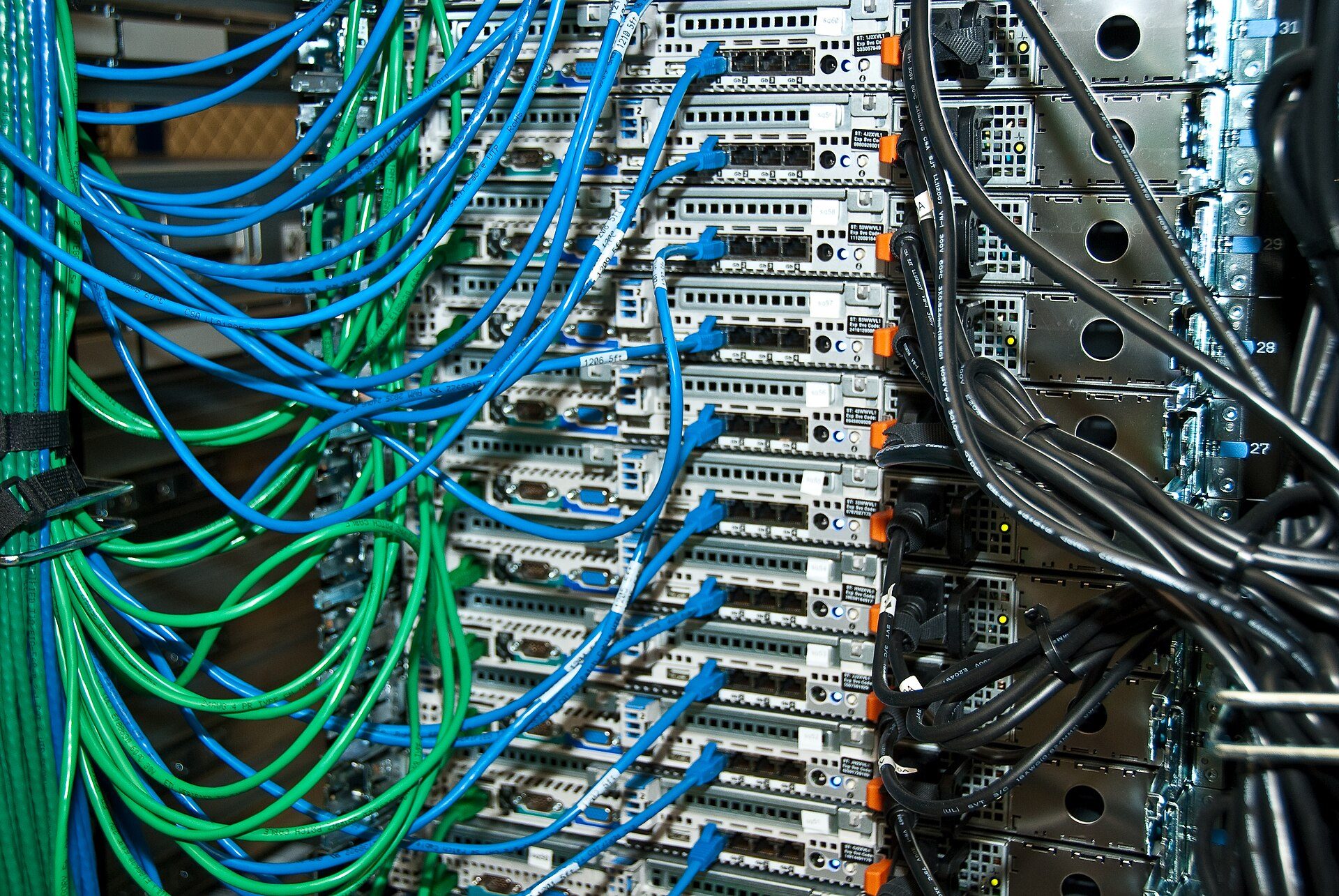
Photo: RobH / Wikimedia Commons, CC BY-SA 3.0
A cable labelling scheme
Every cable gets a label at both ends with the same text, readable without unplugging anything. A simple office scheme: T2-P15 means floor 2, port 15 on the patch panel, and the wall outlet carries the same code. A patch cord from the patch panel to the switch also records the switch port, for example T2-P15 / SW1-G15. Print labels with a label printer rather than writing them in marker that fades (Figure 5). Every code goes into one shared spreadsheet: cable code, outlet location, patch panel port, switch port, VLAN and user.
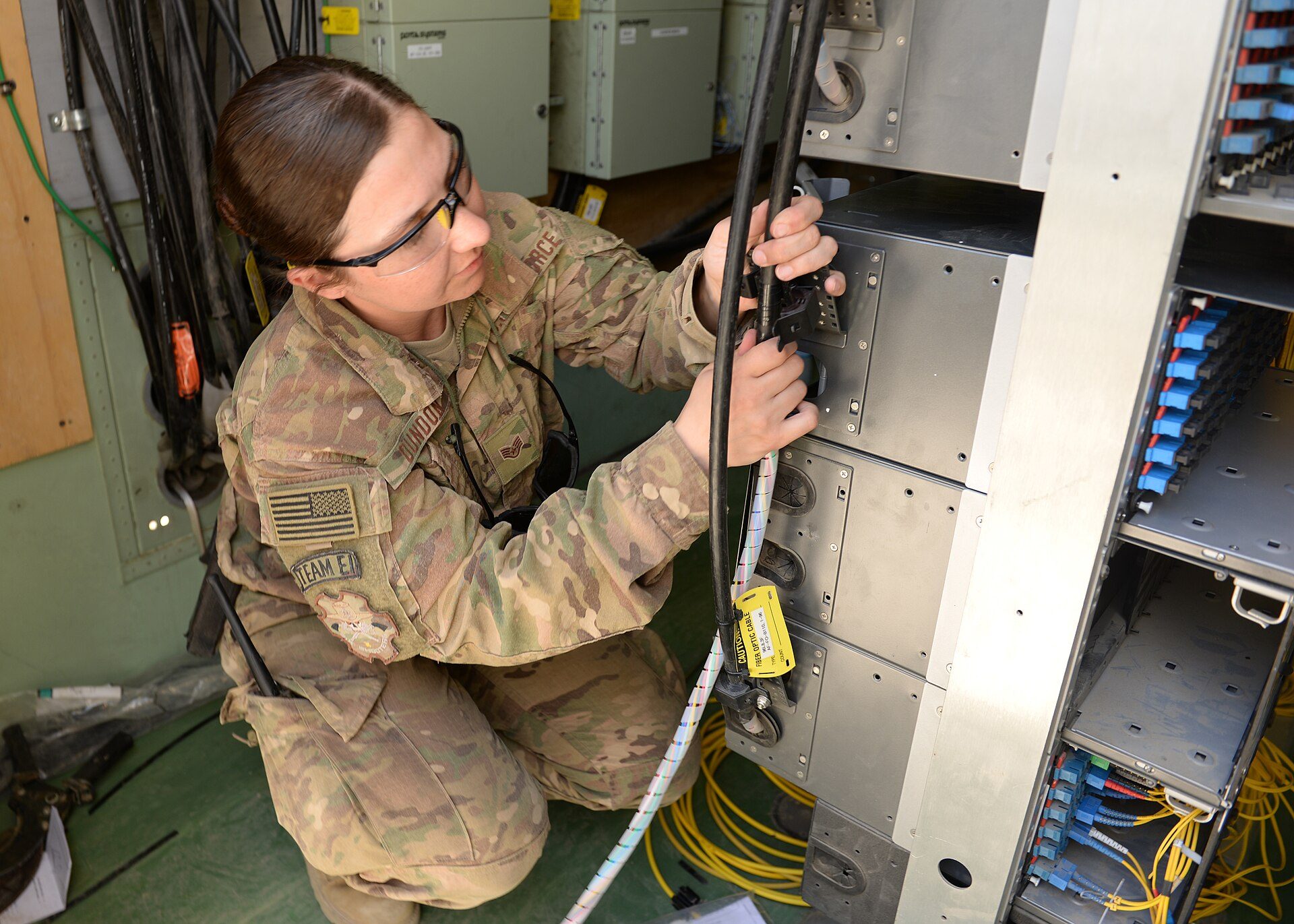
Photo: Senior Airman Cierra Presentado / Wikimedia Commons, Public domain
Temperature, humidity and keeping the room clean
When electronics run too hot, fans spin at full speed, components age faster and some devices shut themselves down for protection.
Ranges to keep
- Air temperature at the front of the equipment: common international guidance recommends about 18-27°C.
- Relative humidity: about 40-60% is the usual safe range. The humid "nom" season in northern Vietnam easily pushes it above 80%, so you need an air conditioner with a dry mode or a dehumidifier.
- Measure in the right place: put the thermo-hygrometer at the front of the rack, halfway up, not right under the air conditioner outlet.
Air conditioning and airflow
Equipment draws cool air in at the front and blows hot air out of the back. Face the front of the rack towards the air conditioner's airflow and keep the back away from the wall. Never put the air conditioner directly above the rack: a leaking condensate pipe drips straight into the equipment.
Dust, water and strangers
- A server room is not a storeroom: no cardboard boxes, printer paper or cleaning chemicals.
- Lock the room and the rack, and keep a log of who entered, when and why.
Working on ladders when running cables above the ceiling
New network runs often go above a plasterboard ceiling or along cable trays near the ceiling, 2.7-3.5 m up. Falling from a ladder is a common accident for network technicians.
Choosing and setting up the ladder
- Use an A-frame ladder with locking spreaders on both sides and intact rubber feet. Set it on a flat, dry floor.
- Do not stand on the top two steps; do not lean out, keep your hips between the rails.
- Keep three points of contact: two feet and one hand, or two hands and one foot.
- Have someone foot the ladder in busy areas, and cordon off the space underneath.
Before opening the ceiling
Above the ceiling there are lighting cables, air-conditioning pipes and sprinkler heads. Switch off the lighting circuit in the work area, bring a torch, gloves and dust goggles. Do not lay network cable on top of power cables or tie it to water pipes; keep your distance from power cables, and where you must cross them, cross at right angles. Anything higher than an A-frame ladder can reach needs scaffolding under the site's safety rules.
Worked example: a 20U rack for a 30-person office
A 30-person office in a building in Binh Duong, where the power often flickers when nearby factories start their machines. The company has a small 6 m² storeroom to use as a server room. Your job is to rebuild the network cabinet that currently sits on the floor, with tangled, unlabelled cables.
Step 1: list equipment, power draw and rack units
| Equipment | Rack units | Estimated power |
|---|---|---|
| 2 x 24-port patch panels | 2U | 0 W |
| 2 cable managers | 2U | 0 W |
| 2 x 24-port switches | 2U | 120 W (2 x 60 W) |
| Firewall | 1U | 40 W |
| Shelf: fibre modem + camera recorder | 2U | 55 W (15 + 40) |
| Shelf: NAS + mini server | 2U | 240 W (60 + 180) |
| Rack-mount UPS | 2U | (power source) |
| 8-outlet PDU | 1U | 0 W |
| Total | 14U | 455 W |
Check: 2 + 2 + 2 + 1 + 2 + 2 + 2 + 1 = 14U. Power: 120 + 40 + 55 + 240 = 455 W. A 20U rack leaves 6U free, which is 30%, enough for another switch or shelf later.
Step 2: choose the UPS and estimate runtime
- Unstable power plus a server and a NAS means an online UPS.
- A 1 kVA online UPS with 900 W real power: load 455 / 900 = about 50.6%, inside the 50-70% band.
- Assume 3 internal 12 V 9 Ah batteries: 36 V x 9 Ah = 324 Wh. Multiply by about 0.85 efficiency to get about 275 Wh. Divide by the load: 275 / 455 = about 0.6 hours, roughly 36 minutes in theory.
- In practice batteries lose capacity at high discharge current and old batteries are weaker still, so trust only the manufacturer's runtime table and a real test. The minimum goal: 10 minutes for the UPS software to shut the NAS and server down cleanly.
Step 3: budget (assumed prices for the calculation, 2026 reference, varies by region and brand)
| Item | Unit price | Amount |
|---|---|---|
| 20U rack, 600 mm deep, with roof fan | 3,200,000 VND | 3,200,000 VND |
| 1 kVA rack-mount online UPS | 8,500,000 VND | 8,500,000 VND |
| 8-outlet rack PDU | 800,000 VND | 800,000 VND |
| Surge protection for the server room power circuit (installed by an electrician) | 1,500,000 VND | 1,500,000 VND |
| Digital thermo-hygrometer | 300,000 VND | 300,000 VND |
| Printed labels, hook-and-loop straps, blanking panels | 400,000 VND | 400,000 VND |
| Total | 14,700,000 VND | |
Check: 3,200,000 + 8,500,000 + 800,000 + 1,500,000 + 300,000 + 400,000 = 14,700,000 VND (about US$565). Real prices vary widely: a 20U rack runs about 2-5 million VND and a 1 kVA online UPS about 6-12 million VND depending on brand. This excludes the electrician's labour for a dedicated circuit and earthing, which needs its own quote.
Step 4: schedule and handover
Work out of hours on a Saturday: shut the server and NAS down gracefully, remove the equipment, assemble the rack, install from the bottom up as above, run power on the left and data on the right, label both ends, update the spreadsheet, then test the UPS by cutting its input and timing it. Take before and after photos and record how many minutes the UPS held the real load in the handover log.
Common mistakes and how to fix them
Plugging printers and shredders into the UPS
Symptom: the UPS beeps for overload and the battery wears out quickly. Cause: laser printers, shredders and kettles draw very high inrush current. Fix: only network equipment and servers go on the UPS; everything else uses ordinary sockets.
Three-pin sockets without a real earth
Symptom: the rack case gives a slight tingle, a voltage tester pen lights up on the case, network ports burn after thunderstorms. Cause: the earth pin is not wired or the earth wire is broken. Fix: stop touching the rack and have an electrician inspect and redo the earthing.
A UPS that nobody ever checks
Symptom: the power goes and everything shuts off even though the UPS lights were on. Cause: the batteries have worn out after a few years. Fix: run the self-test every month, write the battery installation date on the UPS, and replace batteries as the manufacturer recommends.
Weekly and monthly server room checklist
- Weekly: read temperature and humidity at the front of the rack; check the UPS lights and display show no faults; look for unusual switch port lights; check the air conditioner is not dripping; lock the room and the rack.
- Monthly: run the UPS self-test; clean the rack's dust filters; check labels on newly added cables; reconcile the port spreadsheet with reality; review the access log.
- Before the rainy season: have an electrician check earthing and surge protection; check the Ethernet surge protectors for outdoor cameras and Wi-Fi.
Frequently asked questions
What does a standard server room need at minimum?
A dedicated circuit with its own breaker, a UPS, earthing and surge protection, a lockable rack, air conditioning that holds about 18-27°C, a thermo-hygrometer, cable labels and a port spreadsheet.
How many U does my rack need?
Add up the U of every device, then add 20-30% for growth and blanking panels. Offices of 20-50 people usually use 15U to 27U racks; if you have deep rack servers, choose an 800-1000 mm deep rack.
How is surge protection different from a lightning rod?
A lightning rod (direct strike protection) catches strikes on the building and carries them to earth. Surge protection shields equipment from surges travelling in along conductors. A server room needs both layers, and both are designed and installed by a qualified electrical contractor.
May a network administrator install sockets and breakers in the server room?
Better not, unless you are also qualified and assigned electrical work. Write down the requirements (number of circuits, load, socket positions, earthing), let the electrician do the work, then accept it against your checklist.
Practice exercises and self-assessment
- Survey the network cabinet where you work or study: take photos, list the equipment, the U and the power rating on each device's label, and total them as in the example table.
- Work out the UPS load as a percentage and a theoretical runtime; compare with the runtime table for the UPS in use.
- Sketch the rack layout from the bottom up and propose a cable labelling scheme for that office.
Self-assessment criteria
- Pass: the total U and total power in your table add up, and the UPS load is within 50-70% or you propose a suitable UPS.
- Pass: your layout puts the UPS at the bottom and patch panels at the top, with power and data on separate sides.
- Pass: every cable in your proposal has a unique label code that appears in the spreadsheet.
- Not yet: unplugging a running server, opening a UPS, wiring inside the distribution board, or skipping the wrist strap when touching components.
With a safe and tidy server room, move on to the next step of the roadmap: The OSI model, TCP/IP and subnetting, where you learn IP addressing, gateways, DNS and how to use ping and tracert to narrow down faults. You can read ahead with the lesson on how to subnet IPv4 with a worked exercise.
Keep learning network administration: after server room safety come OSI and TCP/IP, cabling, switch, router and VLAN configuration, enterprise Wi-Fi, Windows Server, Linux, backup and the CCNA certificate. See the network and system administrator roadmap.